Vindula platform features organized by module

Find the right module before going deeper into a demo or a specific solution.

Module overview

Choose features by the problem your company needs to solve first

The cards below help find the module closest to your main pain before going deeper into a demo.

Intranet

Official channel, access structure, knowledge, and intranet governance.

Learn more

Communication

Segmented publishing, channels, formats, and history for internal communication.

Learn more

GED

Official documents with organization, control, validity, and traceability.

Learn more

Electronic Signatures

Batches, recipients, document integrity, receipts, and reports.

Learn more

Training

Learning paths, courses, onboarding, and proof of completion in the same operational environment.

Learn more

Human Resources

Structure, records, absences, vacations, documents, and employee requests.

Learn more

Assessments and Plans

Cycles, responses, manager validation, goals, and plans connected to HR.

Learn more

Integrations and BI

Google Drive, Microsoft 365, OneDrive, SharePoint, and Power BI connected to the official environment.

Learn more

AI

Search, content, and automation assistance with administration controls.

Learn more

Tasks

Pending work with owners, deadlines, priority, boards, and history.

Learn more

Bookings

Shared rooms and resources with schedules, audiences, rules, and approval.

Learn more

BPMS

Workflows, phases, fields, owners, files, and history.

Learn more

CRM

Leads, accounts, contacts, pipeline, proposals, activities, and commercial reports.

Learn more

Audits

Checklists, schedules, execution, evidence, nonconformities, plans, and reports.

Learn more

Corporate TV

Screens, groups, devices, scheduling, and display control.

Learn more

Knowledge Base

Articles, categories, search, and references connected to the intranet.

Learn more

Gamification

Points, levels, badges, missions, campaigns, and participation streaks.

Learn more

Intranet

Intranet: the core official channel and governance layer

This is where the features that sustain the company’s main environment live: official publishing, people context, navigation, consultation, and evidence.

See module page

Official channel and publishing

The intranet core for publishing, highlighting, and distributing information in the official environment.

  • Feed and official posts

    Publications with comments, likes, polls, and audience targeting.

  • Pages and highlights

    Intranet areas to organize home, banners, shortcuts, and recurring communication.

  • Corporate events

    Internal events agenda and invitations for the right audience.

  • Visual boards and panels

    Content for TVs, digital boards, and communication in physical points.

People, structure, and access

The context that defines who sees what and how operations are organized.

  • People directory

    Employee lookup, profiles, and internal networking.

  • Departments, units, and job titles

    Org structure to segment, consult, and govern.

  • Teams and members

    Formal teams with leaders, members, and working context.

  • Contextual navigation

    Menus, links, and shortcuts organized by need and permission.

Knowledge, documents, and governance

The intranet stops being just a bulletin board and starts concentrating consultation, obligation, and evidence.

  • Knowledge base

    Knowledge spaces and pages for ongoing reference.

  • Library and collections

    Official documents, categories, and support material inside the same channel.

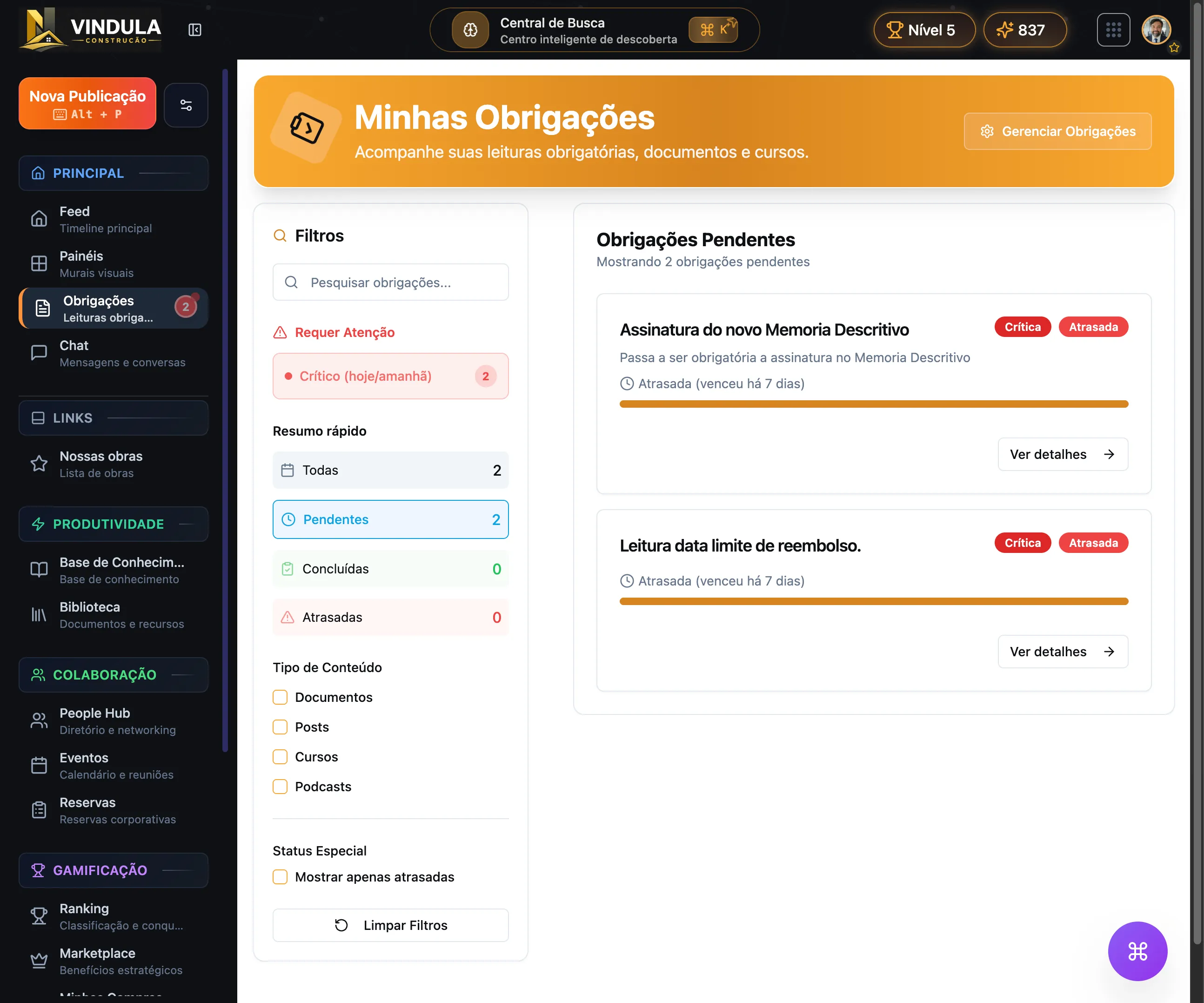
  • Mandatory reading

    Acknowledgment and tracking when content requires evidence.

  • Tasks and pending items

    Pending items tied to daily routines and official flows.

Communication

Communication: segmented publishing in the right channel

This block brings together the resources to publish, distribute, interact, and keep history when the company treats communication as an official process.

See module page

Segmented publishing

Resources to publish with context, priority, and audience targeting.

  • Corporate feed

    Official posts for the company’s main communication channel.

  • Audiences by area, unit, and team

    Distribution by operational context without duplicating work.

  • Editorial scheduling

    Publication planning for the internal editorial routine.

  • Highlights and priority

    Controls that increase visibility for critical content.

Channels and formats

Communication is not limited to a single format or screen.

  • Channel-based chat

    Public or private conversations by team, theme, or operation.

  • Digital boards

    Distribution to TVs, signage, and communication points.

  • Internal podcasts

    Episodes and internal programs with dedicated management.

  • Corporate events

    Invitations, promotion, and follow-up for the internal calendar.

Interaction and control

When content needs to generate response, history, and governance.

  • Comments, likes, and polls

    Social interaction inside the same official communication flow.

  • Approval and moderation

    Queues to review content before or after delivery.

  • Confirmed reading

    Control when a communication needs evidence of reading.

  • History by audience and publication

    Visibility into who received, read, or still has pending action.

GED

Document management: official repository, validity, and traceability

This is where the features live to organize policies, procedures, manuals, and evidence for official documents in the right version.

See module page

Repository organization

Structure to store, find, and consult official documents.

  • Document library

    Central environment for policies, manuals, and procedures.

  • Collections and categories

    Organization by context, topic, or document type.

  • Tags and custom fields

    Metadata to detail, filter, and locate content.

  • Search and consultation of the official version

    Faster access to the right document for each audience.

Document control

Resources to ensure context, validity, and history for each document.

  • Versioning

    Version history and formal updates for the material.

  • Validity control

    Validity rules by global policy, category, or document.

  • Owner and context

    Definition of owner, scope, and expected use of the document.

  • Change history

    Tracking of what changed and when it took effect.

Evidence and distribution

When official documents must circulate with controlled access and proof of consultation.

  • Reading and acknowledgment

    Evidence when the document requires formal acknowledgment.

  • Audience-based access

    Distribution by area, unit, role, or team.

  • Preview and consultation

    Document consultation inside the official environment itself.

  • Traceability for audits

    Accessible history for quality, safety, and compliance teams.

Electronic Signatures

Electronic signatures: tracked batches, documents, and evidence

Capabilities to prepare documents and recipients, track progress, and keep receipts associated with the workflow.

See module page

Workflow and tracking

Signature organization from batch preparation through operation history.

  • Batches and recipients

    Documents and people grouped into a trackable operation.

  • Document integrity

    File verification before opening the signing workflow.

  • Receipt and history

    Record associated with the document and completed action.

  • Indicators and reports

    Completion tracking and export for internal analysis.

Training

Training: learning paths, onboarding, and completion in the flow of work

This layer brings together Vindula’s LMS to organize onboarding, technical training, and proof of completion in the same work environment.

See module page

Learning structure

The main building blocks to assemble the catalog and learner journey.

  • Learning paths

    Sequences by role, area, unit, or stage of the journey.

  • Courses

    Course catalog for continuous training.

  • Modules and lessons

    Internal structure for content, sequence, and consumption.

  • Course library

    Area to explore the catalog available to the audience.

Onboarding and execution

Training stops being an isolated campaign and becomes part of the team’s routine.

  • Onboarding by role or unit

    Entry journeys adapted to the operational context.

  • Official content and checklists

    Training connected to documents, routines, and formal guidance.

  • Schedule and sessions

    Study organization and session tracking for the learner.

  • Audience-based availability

    Availability by area, unit, team, or journey need.

Completion and evidence

What provides visibility for HR, leadership, and operations.

  • Progress by person

    Individual tracking for progress and pending items.

  • Quizzes and assessments

    Learning validation inside the path.

  • Certificates

    Completion proof and certificate templates.

  • Reports and analytics

    Engagement, progress, and completion metrics.

Human Resources

Human Resources: structure, employee journeys, and people documents

Brings together people records, org structure, absences, vacations, documents, privacy, and HR communication in the same environment.

See module page

Organizational structure

The HR foundation to organize company, areas, units, and responsibilities.

  • Company

    Core settings for the corporate structure.

  • Departments

    Business areas that publish, receive, and approve content and processes.

  • Job titles

    Roles used for segmentation and people records.

  • Units, locations, and org chart

    Branches, plants, addresses, and visibility into leaders and teams.

People records, journey, and record mode

Resources to manage employees, internal movements, and history without parallel controls.

  • User management

    Employee records and maintenance with organizational context.

  • Import users

    Bulk spreadsheet import with upload, field mapping, preview, validation, and row-level report.

  • Profile fields

    Custom fields to reflect the company’s real operation.

  • Absences and vacations

    Requests, approvals, and history for internal employee journeys.

  • Employee record file

    Electronic record file by employee ID or another identifier.

  • Promotions and internal moves

    Tracking of promotions and internal moves in the employee journey.

Documents, privacy, and requests

Formal flows for payslips, vacations, consent, and employee privacy requests.

  • Payslips

    Upload, processing, and signature when the flow requires it.

  • Income statements and vacation documents

    Dedicated categories for yearly documents and vacation flows.

  • Administrative privacy dashboard

    Request treatment and history on the company side.

  • Employee privacy portal

    Tracking for requests, consents, and exports.

  • Consent terms

    Publication, pending acceptance, and consent history.

  • Data export

    Request and download of employee corporate data.

HR communication

Resources for HR to publish with institutional identity and onboarding journeys.

  • Corporate personas

    Official identities for HR publications.

  • Automated welcomes

    Messages and initial journeys for new hires.

  • Email signatures

    Per-employee corporate template with central management.

Assessments and development plans

Assessments and plans: cycles, responses, and development

HR structures assessment cycles, questions, responses, manager validation, goals, and individual development plans in the same people context.

See module page

Cycles and templates

The base to structure assessments before opening the cycle to the audience.

  • Assessment cycles

    Organization of cycles by objective, audience, and operating context.

  • Questions and response templates

    Forms with blocks, criteria, and response standards.

  • Audience by structure

    Application using employees, roles, areas, departments, and units.

Execution and follow-up

Cycle follow-up for employee, manager, and HR.

  • Employee assessments

    Area to track assessments pending, in progress, and completed by the employee.

  • Manager validation

    Review and validation when the cycle requires leadership participation.

  • Status and pending items

    Visibility into responses, pending items, and cycle blockers.

Plans and development

The cycle result becomes continuity for goals, actions, and training.

  • Individual development plan

    Actions and next steps aligned between employee and leadership.

  • Goals and objectives

    Tracking goals tied to the development journey.

  • History by employee

    Record of assessments, feedback, and evolution available over time.

Integrations and BI

Integrations and BI: Google, Microsoft 365, and Power BI in the right flow

The company connects documents, libraries, and reports to the official environment without losing source, authorization, and operational context.

See module page

Google Drive and library

Resources to bring Drive folders closer to Vindula document management.

  • Category-level linking

    Library categories can be linked to Drive folders to keep organization and context.

  • Link or import mode

    The company can keep governed shortcuts or import documents into the library depending on the project design.

  • Controlled sync

    Manual or scheduled syncs help keep documents updated inside the official channel.

Microsoft 365, OneDrive, and SharePoint

Microsoft ecosystem connections support documents, folders, and connected routines.

  • Sites, drives, and folders

    Configuration can select source, root folder, and category links in the library.

  • OneDrive and SharePoint

    Documents the company already uses can appear in the official environment with more context and governance.

  • Teams and Outlook by scope

    Microsoft 365 projects can connect notifications, email, or calendar when that is part of the approved scope.

Power BI with context

Reports can sit closer to communication, knowledge, and operational guidance.

  • Workspaces and reports

    The integration can list workspaces and reports available to the authorized Microsoft account.

  • Embedded report

    Reports can be added to internal content so people consult them in the right context.

  • Authorized access

    Viewing uses Microsoft authorization and respects permissions granted to reports and workspaces.

Connection governance

Authorization, permission, and audit controls prevent integrations from becoming loose access points.

  • Connection authorization

    Connections go through provider authorization and remain controlled by authorized administrators.

  • Operational permissions

    Configuring providers, syncing documents, and using reports depends on the right permissions.

  • Change audit

    Connections, links, syncs, and imports leave an operational trail.

AI

AI: support for search, content, and internal workflows

Assistance capabilities connected to company context and platform administration controls.

See module page

Context-aware assistance

Tools to support people without separating AI from environment governance.

  • Corporate assistant

    Support for questions and workflows within available context.

  • Assisted search

    Help to locate information and content in the environment.

  • Content assistance

    Suggestions to structure content subject to team review.

  • Administration controls

    Access and usage configuration according to company operations.

Tasks

Tasks: owners, deadlines, and operational visibility

Internal work organization with owners, priority, deadlines, status, and history.

See module page

Tracked execution

Controls to turn pending work into visible execution.

  • Owners

    Definition of who executes and tracks each task.

  • Deadlines and priorities

    Organization of what is due first and needs attention.

  • Status board

    View of pending, in-progress, review, and completed work.

  • Task history

    Record of updates and work progress.

Bookings

Bookings: rooms and resources with availability, rules, and approval

The module organizes rooms, vehicles, equipment, and other shared resources with schedules, allowed audiences, multiple time slots, and request tracking.

See module page

Resources and availability

Context to choose the right resource and check available time slots.

  • Types and resources

    Rooms, vehicles, equipment, and other resources organized by type.

  • Photo, location, and capacity

    Practical details help confirm the resource before the request.

  • Availability schedule

    Free, occupied, or unavailable time slots appear during selection.

Requests and time slots

The requester assembles the usage need and reviews time slots before submission.

  • Purpose and participants

    The request records the purpose and number of participants.

  • Multiple time slots

    Noncontiguous time slots can be grouped for the same resource and date.

  • Review and conflicts

    Final review summarizes time slots and availability prevents overlaps.

Audiences, approval, and tracking

Controls to make each resource available to the right audience and track decisions.

  • Allowed audiences

    Departments, units, roles, teams, or people can compose access.

  • Rules and approval

    Advance notice, duration, and approval can follow each resource.

  • Status and history

    Requesters and owners track requests, decisions, and cancellations.

BPMS

BPMS: internal processes with phases and record history

Structured workflows with phases, fields, owners, files, permissions, and tracking.

See module page

Modeling and execution

Structure to move records through controlled stages.

  • Workflows and phases

    Stage sequence for each internal process.

  • Fields by stage

    Information organized according to the process stage.

  • Owners and permissions

    Access and decisions assigned to authorized people.

  • Files and history

    Documents, comments, and changes retained in the record.

CRM

CRM: pipeline, proposals, and commercial relationships

The module organizes the basic commercial routine inside the company environment, connecting leads, accounts, contacts, opportunities, proposals, and follow-ups.

See module page

Records and relationships

Core records to keep commercial history without parallel spreadsheets.

  • Leads

    Commercial entries with source, status, and qualification context.

  • Accounts and contacts

    Companies, customers, and people related to the commercial cycle.

  • Commercial history

    Notes, activities, attachments, proposals, and events close to the record.

Pipeline and activities

Tracking of opportunities, stages, and next steps for the commercial team.

  • Opportunities

    Records with value, source, account, contact, stage, and status.

  • Activities

    Follow-ups, meetings, calls, emails, WhatsApp touches, and manual tasks.

  • Basic reports

    Summary by pipeline, source, owner, activity, and won or lost status.

Proposals and import

Resources to complete the basic commercial operation without leaving the same environment.

  • Commercial proposals

    Versions, status, discussed items, and link with opportunity, account, and contact.

  • Attachments

    Files related to commercial history and proposals.

  • Spreadsheet import

    Lead, account, and contact entry from CSV or XLSX with row-level validation.

Audits

Audits: recurring checklists, evidence, and action plans

The module organizes quality, safety, and operational routine checks with schedule, execution, evidence, nonconformity, and reports.

See module page

Checklists and schedule

Verification templates and recurrence to turn routines into a trackable calendar.

  • Versioned checklists

    Published templates preserve history for future and performed audits.

  • Recurring schedules

    Recurrence, deadline, and execution audience before the audit.

  • Calendar and queue

    View of audits to do, completed, overdue, or not performed.

Execution and evidence

Verification record at the moment the routine happens.

  • Field execution

    Item-level answers, observations, and audit status.

  • Evidence and attachments

    Photos and files linked to the answer, issue, or correction.

  • Occurrence history

    Completions, cancellations, reopenings, and adjustments remain traceable.

Treatment and management

After the audit, deviations and plans become trackable for management.

  • Nonconformities

    Open, in-progress, resolved, or canceled issues with context.

  • Action plans

    Owner, status, and correction evidence for each treatment.

  • Reports and exports

    View by unit, owner, completion, evolution, and evidence.

Corporate TV

Corporate TV: scheduled content for internal screens

Management of screens, groups, and schedules to bring communication to physical operating points.

See module page

Screen distribution

Capabilities to define where, when, and on which screens content appears.

  • Devices and screens

    Registration of the points that display programming.

  • Display groups

    Organization of screens by unit, environment, or purpose.

  • Programming schedule

    Definition of display sequence and period.

  • Operational control

    Tracking of screen configuration and availability.

Knowledge Base

Knowledge base: answers and references in the official channel

Guidance content organized for recurring consultation by employees and teams.

See module page

Knowledge organization

Structure to publish answers and keep references findable.

  • Guidance articles

    Content for questions, procedures, and internal references.

  • Categories and topics

    Organization by subject and usage context.

  • Content search

    Search to locate published answers and materials.

  • Intranet connection

    References accessible inside the company's official channel.

Gamification

Gamification: missions, progression, and recognition

A supporting capability to organize participation, levels, badges, missions, and internal campaigns.

See module page

Participation and recognition

Capabilities to structure challenges and track progression within internal initiatives.

  • Points and levels

    Standard or configured progression according to the initiative.

  • Badges and missions

    Recognition and goals linked to defined actions.

  • Internal campaigns

    Campaigns to focus participation on specific periods and goals.

  • Import and export

    Administration of levels and badges through structured files.

How to choose features

Start from the main pain and expand later

The platform does not need to enter all at once. The most common path is to start with the main operational pain and add the other modules when it makes sense.

Integrations and security

What connects these modules inside the same environment

Vindula’s advantage appears when communication, documents, signatures, people, knowledge, and operations stop living in parallel flows and start sharing context, access, and history.

Google Drive, OneDrive, SharePoint, and Power BI can enter the same official environment as communication, documents, signatures, people, and operations.

Permissions, owners, and operational context help keep publishing, consultation, sync, and updates in the same flow.

HR can connect to Communication to publish to the right audience, to Documents for official records, and to Training for onboarding and mandatory journeys.

Mandatory reading, acknowledgment, history, and traceability enter when content needs evidence and not just publication.

Implementation can start with the module that addresses the priority pain and grow later, connecting communication, documents, signatures, people, and operations in one environment.

Security comes from the same design: the right audience, controlled access, clear history, and evidence when the process requires confirmation.

Want to see which features should enter first in your scenario?

The guided demo starts from your company’s main problem and builds a route with the modules that make the most sense for your operational context.