
Screen 01
Calendar and status
The monthly view helps identify audits waiting, in progress, completed, overdue, or not performed.
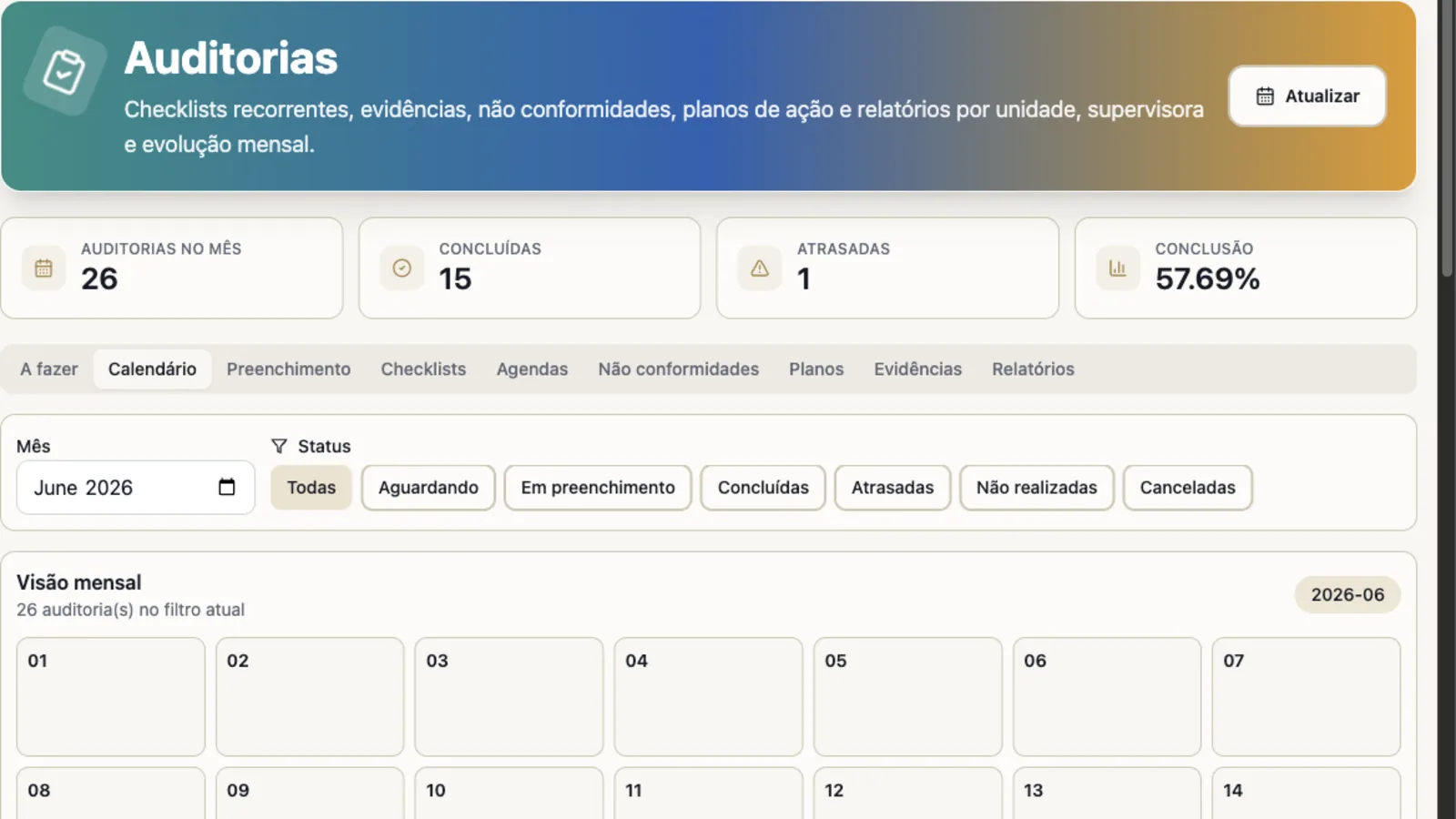
Monthly view to track volume, status, and execution dates.
Use Audits to track quality, safety, and operational routines with schedules, field execution, photo evidence, issue treatment, and reports by unit or owner.
Checklists • Schedules • Evidence • Nonconformities • Plans • Reports
Monthly calendar with indicators for completed audits, overdue audits, and completion rate.
Auditable routines
The module fits when the company needs to repeat checks, record evidence, handle deviations, and track progress by unit, team, or owner.
Track recurring checklists by store, clinic, plant, job site, or distributed operation.
Record answers and evidence at the moment of verification, with visible pending items afterwards.
Turn an observed deviation into treatment, owner, status, and action plan.
Track completion, evolution, evidence, and recurrence without manually consolidating spreadsheets.
Product screens
The screens show calendar, indicators, and nonconformity treatment without exposing real customer data.
The monthly view helps identify audits waiting, in progress, completed, overdue, or not performed.
Monthly view to track volume, status, and execution dates.
Field routines can start on mobile, with indicators and navigation to pending audits.
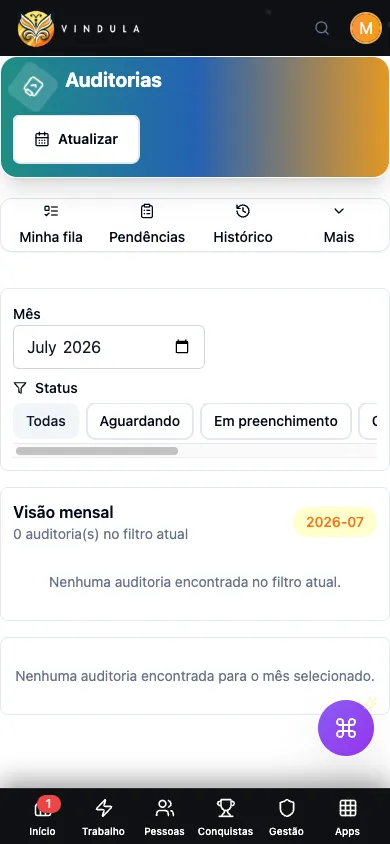
Mobile summary for people executing or tracking audits away from a desk.
Filters and tabs clarify when an issue needs follow-up, a plan, or correction evidence.
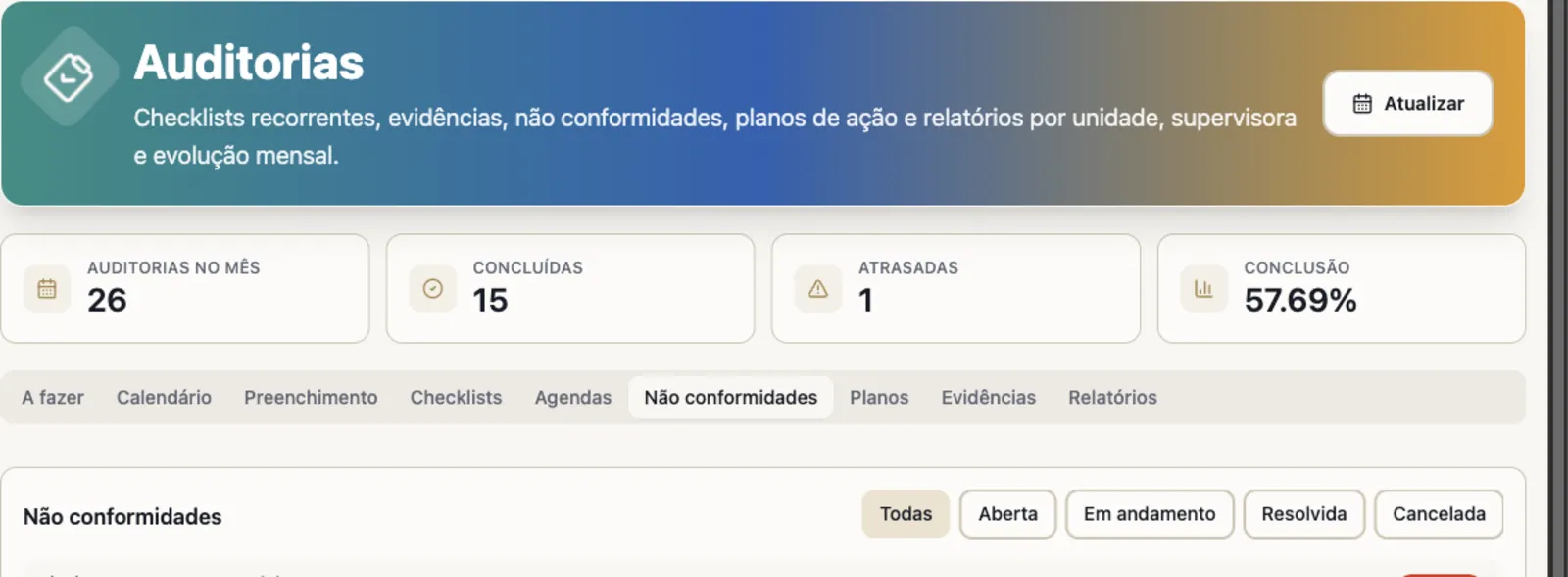
Treatment area to organize open, in-progress, resolved, or canceled issues.
Main capabilities
See the controls that support checklist, schedule, execution, evidence, treatment, action plan, report, and export.
Build verification templates and turn repeated routines into a trackable calendar.
Versioned checklists
Published templates preserve history for future and already performed audits.
Recurring schedules
Recurrence, operating window, and execution audience are defined before the audit.
Audits to do
Queue of pending, overdue, or assigned audits for execution.
Monthly calendar
Monthly and status view to track execution and overdue items.
Execution records answers, observations, and files that support the verification.
Field execution
Item-level answers for open audits, with status guidance.
Evidence and attachments
For conforming responses, observations and images are optional and record context; for nonconformities, the required description and evidence guide correction.
Nonconformity validation
Nonconforming items require enough information to avoid empty findings.
Occurrence history
Reopenings, cancellations, completions, and adjustments remain traceable.
Each package by unit groups checks from the same operation and organizes result consolidation.
Multiple checklists in one package
Group different checks for the same unit in a shared tracking view.
Units found by name, code, or tax ID
Find the right unit before organizing the package checklists.
Partial report with completed items
The partial report includes only completed checklists, and sending it requires an explicit action.
Consolidated final report
At the end of the package, the final report consolidates every completed item in the defined order.
Recipients linked to the unit
Unit links define who should receive reports when a sending action is performed.
After the audit, the module organizes deviations, plans, and indicators for management.
Nonconformities
Open, in-progress, resolved, or canceled issues with context.
Action plans
Owner, status, and correction evidence to resolve the deviation.
Operational reports
Indicators by unit, owner, completion, evolution, and nonconformity.
Exports
Individual and consolidated reports can support internal analysis.
Evidence-based management
Operations can see schedule, execution, overdue items, nonconformity, and action plan with history and evidence.
Which audits are waiting, overdue, completed, or canceled.
Which checklist and version were used in each occurrence.
Which answers generated nonconformity and associated evidence.
Which action plans are pending, in progress, or completed.
How unit, supervisor, or owner evolves in reports.
Connected to the rest of the platform
In Vindula, each module connects to the official channel, the right audiences, and the surrounding flows of documents, communication, people, and evidence.
Procedures, SOPs, and official documents can support the checklist used in verification.
Pending items derived from audits can become work with owner, deadline, and visibility.
Recurring deviations can guide content reinforcement, learning paths, and operational training.
Alerts, guidance, and routine changes can be communicated to the right audience.
Best fit
Good fit comes from a clear operational problem, not from enabling a catalog module.
When stores, clinics, plants, job sites, or external teams need to be evaluated with the same standard.
When the routine requires compliance records, evidence, and a plan to correct deviations.
When checks repeat daily, weekly, or monthly and need a clear calendar.
When photos, files, and history are needed to track operational improvement.
FAQ
Objective answers to align expectations about module scope and usage.
No. BPMS organizes processes with stages and fields. Audits organizes recurring checks with checklist, schedule, execution, evidence, nonconformity, action plan, and reports.
Yes. The module uses published checklist versions to preserve the context of already performed and future audits.
Yes. The experience was designed for people who need to see pending items, indicators, and fill audits away from a desk, with evidence and observations when needed.
The module supports completion view, units or targets, nonconformities, action plans, evidence, monthly evolution, and exports for internal analysis.
In the demo, we start from a real routine in your operation and show checklist, schedule, evidence, nonconformity, action plan, and report.