
Screen 01
Commercial summary
Lead, opportunity, open value, won value, and activity indicators help teams see the commercial cycle status.
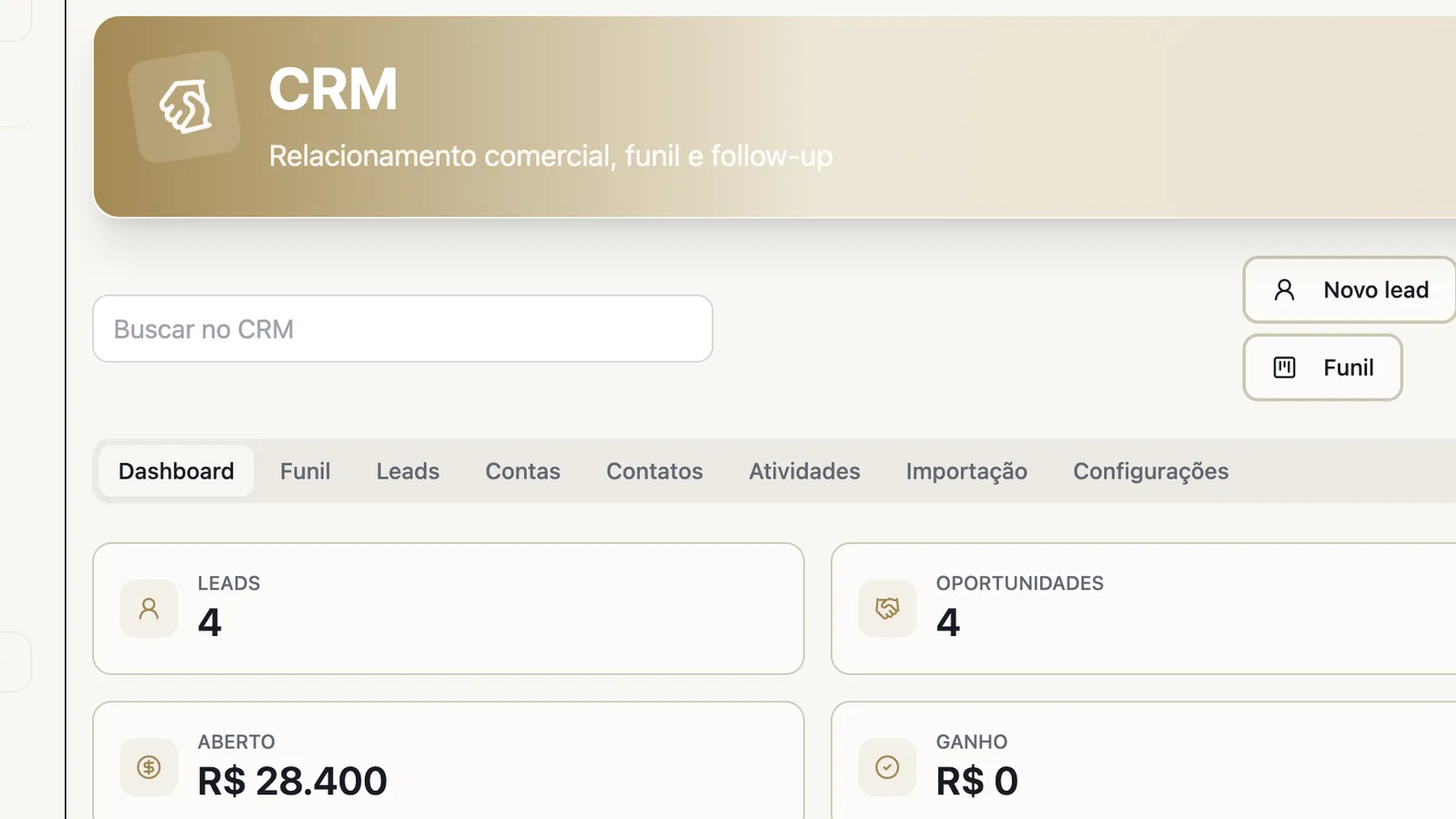
Quick-read panel to track pipeline volume, status, and value.
Use Vindula CRM to move leads, proposals, and follow-ups out of scattered spreadsheets and give visibility to the basic commercial cycle, with history, owners, activities, and reports in one place.
Leads • Accounts • Contacts • Opportunities • Proposals • Activities
CRM panel with commercial summary, work tabs, and pipeline indicators.
Commercial routines
The module fits when leads, opportunities, proposals, and follow-ups need history, ownership, and visibility in the same company environment.
Track contacts, proposals, activities, and history when the sale depends on relationship and follow-up.
Concentrate related leads, accounts, and contacts to reduce duplication and keep service context.
Organize versions, status, attachments, and discussed items without losing the opportunity link.
Start from a CSV or XLSX base and review row-level errors before applying records to the CRM.
Product screens
The screens show pipeline, indicators, proposals, and import without exposing real customer data.
Lead, opportunity, open value, won value, and activity indicators help teams see the commercial cycle status.
Quick-read panel to track pipeline volume, status, and value.
The team creates opportunities with account, contact, value, stage, and source while keeping pipeline progress visible.
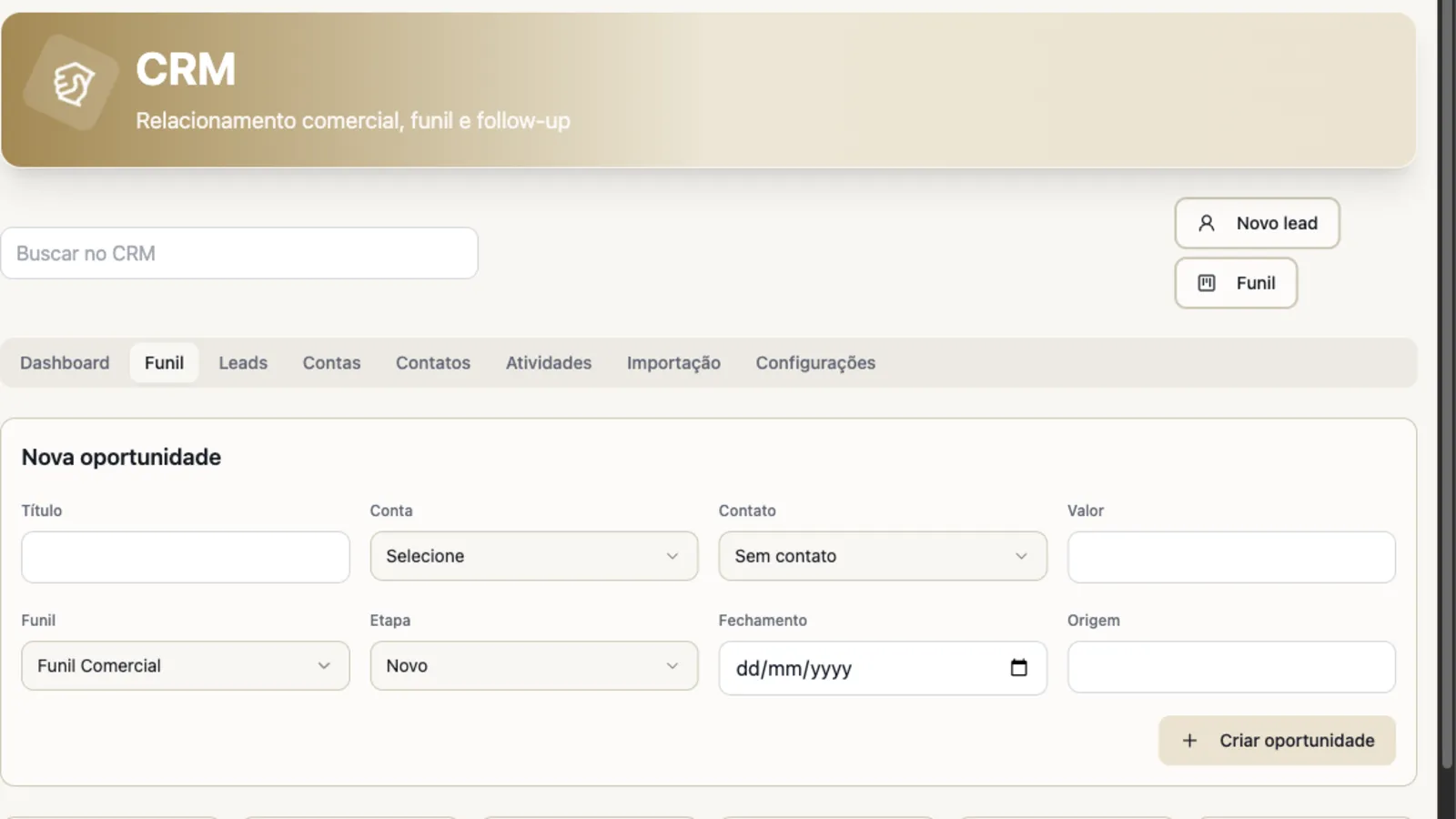
Simple pipeline to control commercial progress without turning implementation into an overly complex project.
Proposals, negotiated items, status, and attachments stay close to the opportunity and customer history.
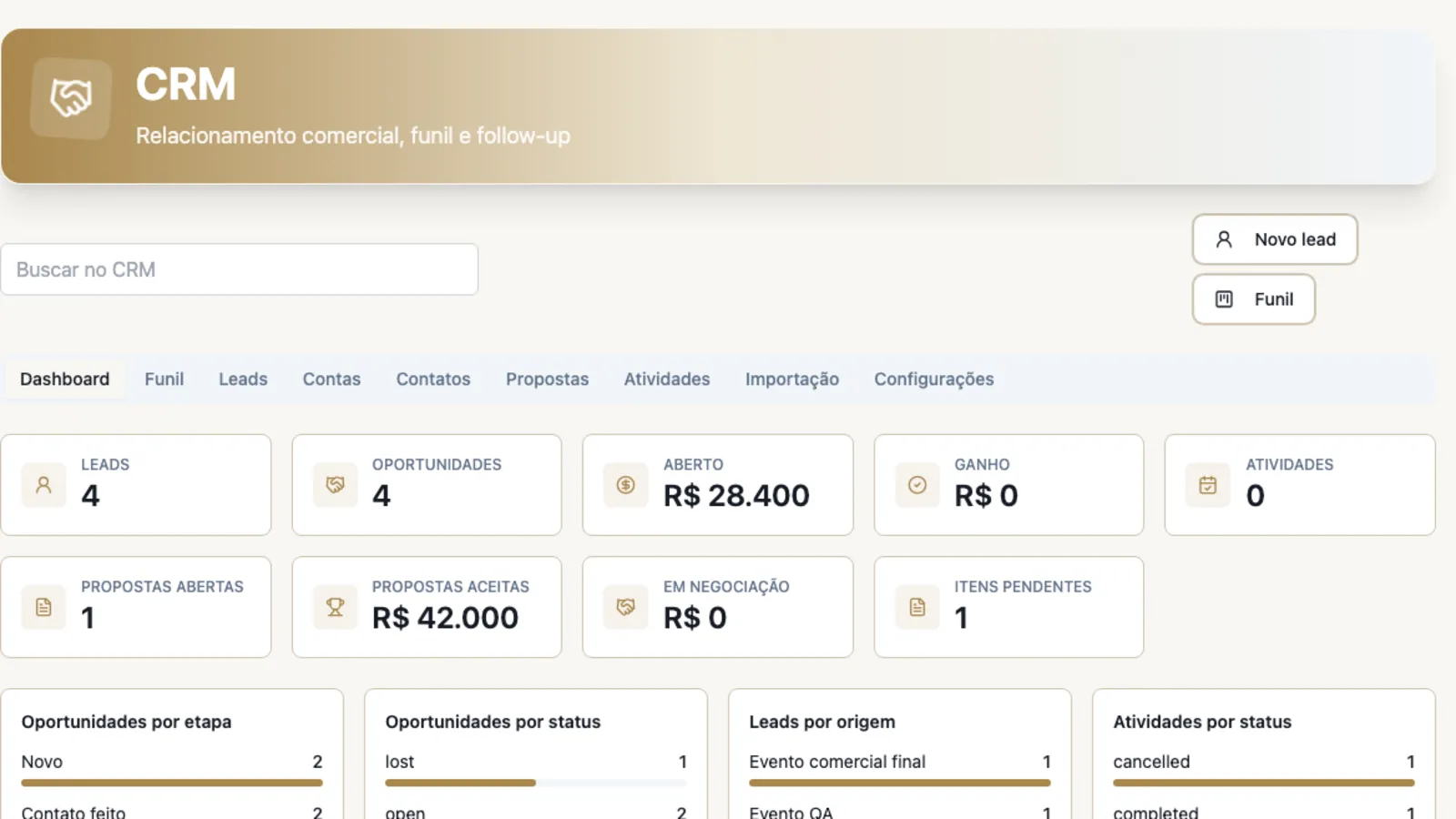
Summary with open, accepted, in-negotiation proposals and pending items.
The operation can bring leads, accounts, or contacts from a spreadsheet, validate rows, and apply only consistent records.
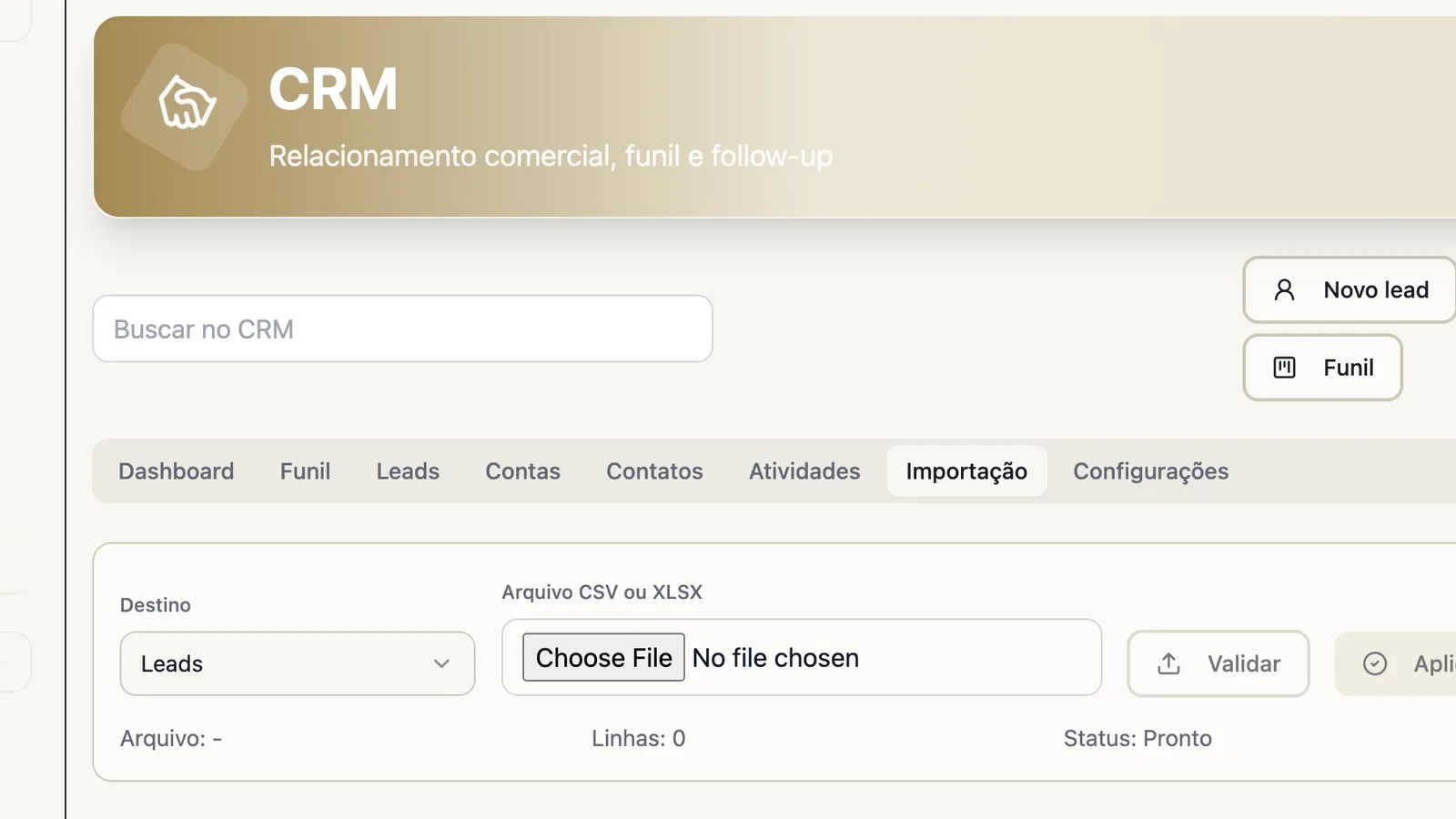
Assisted import to start from existing data without applying invalid rows.
Main capabilities
See the controls that support relationships, pipeline, proposals, import, and basic commercial operation visibility.
Organize the core records that support commercial relationship and follow-up.
Leads
Commercial entries with source, status, and context for qualification.
Accounts
Companies and customers organized with related history.
Contacts
People related to accounts, opportunities, and activities.
CRM search
Quick lookup to find relevant commercial records.
Track opportunities, stages, and next steps without relying on loose reminders.
Opportunities
Records with account, contact, value, source, stage, and status.
Pipeline stages
Stage movement to visualize commercial cycle progress.
Activities and agenda
Follow-ups, meetings, calls, emails, and manual tasks.
Centralized history
Notes, activities, files, proposals, and events in one follow-up timeline.
Close the commercial cycle basics with proposal, attachments, spreadsheet entry, and indicators.
Commercial proposals
Versions, status, items, and links to opportunity, account, and contact.
Attachments and discussed items
Files and negotiated pending items close to commercial history.
CSV and XLSX import
Row-level validation before applying leads, accounts, or contacts.
Basic reports
Summary by pipeline, source, owner, activity status, and won/lost status.
Operational control
CRM reduces dependence on scattered spreadsheets by placing source, owner, stage, proposal, and next action in trackable records.
The source of each lead and its current qualification status.
Accounts, contacts, and opportunities connected to the same history.
Upcoming commercial activities with owner and context.
Open, accepted, rejected, or in-negotiation proposals.
Spreadsheet imports with validation before applying records.
Connected to the rest of the platform
In Vindula, each module connects to the official channel, the right audiences, and the surrounding flows of documents, communication, people, and evidence.
CRM lives in the same environment where the company already accesses communication, documents, and internal routines.
Commercial follow-ups can become pending work with owner, due date, and visibility.
When sales requires a structured process, BPMS can support approvals, stages, and evidence.
Connected reports and documents help keep commercial context close to operations.
Best fit
Good fit comes from a clear operational problem, not from enabling a catalog module.
When opportunities need to be tracked by stage, owner, and next action.
When the company needs basic CRM without opening another isolated tool.
When versions, attachments, and negotiated items need to stay close to history.
When leads, accounts, or contacts already exist and need to enter with validation.
FAQ
Objective answers to align expectations about module scope and usage.
It covers the basic commercial cycle: leads, accounts, contacts, opportunities, pipeline, activities, proposals, attachments, import, and operational reports. Advanced commercial automations should be evaluated against the company process design.
Yes. Proposals can be linked to opportunity, account, and contact, with status, versions, discussed items, attachments, and history events.
Yes. CRM includes CSV or XLSX import for leads, accounts, and contacts, with row-level validation before applying consistent records.
CRM lives inside the Vindula environment and can connect with task, process, document, integration, and communication routines depending on the implementation design.
The guided demo shows how leads, pipeline, proposals, activities, and import work inside the same Vindula operating environment.