Intranet to govern internal operations

Use the intranet as the official channel for communication, documents, knowledge, training, and TV, with audience, unit, journey, and history when needed.

The project can start with the intranet and later expand to documents, training, TV, or internal processes.

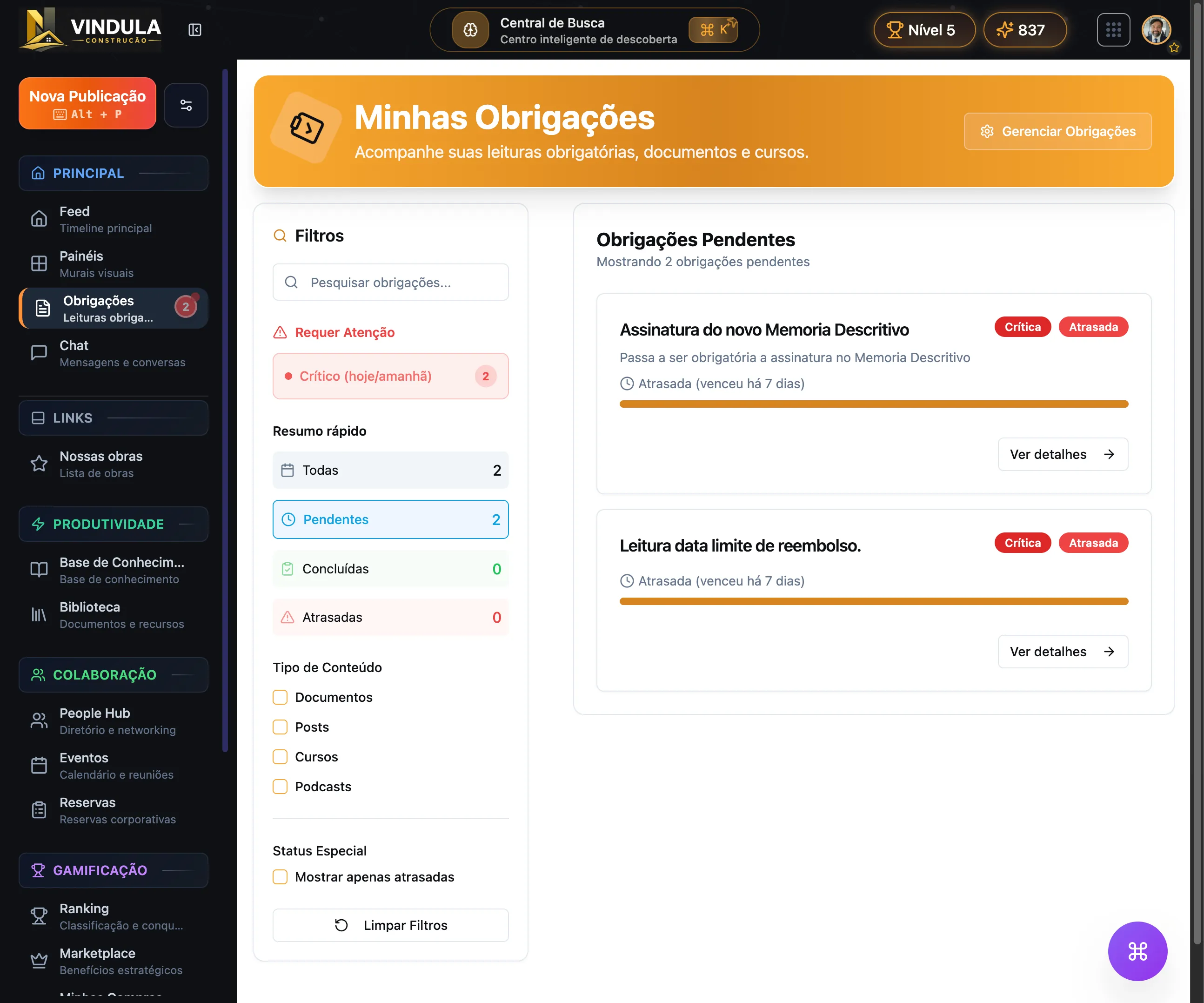
Tela do produto
Vindula intranet screen

Example of the environment with official content and structured navigation.

Entry and tracking

Company entry and administrative tracking

Guide employees to their company and review the records available to authorized management.

Entry through the company link

Guide employees with an entry link configured in advance for your company.

  • Employee entry link

    Share the configured link so employees can find their company’s entry point.

  • Company identified before credentials

    The link identifies the company before enabling the login fields. Credentials follow the methods enabled by the company.

Administrative reports

Authorized people review company activity with applicable filters, pagination, and CSV exports.

  • Posts, audiences, and personas

    Review posts with their author or corporate persona and defined audiences. Administrative tracking preserves each employee’s Feed targeting.

  • Documents

    Review unarchived documents with their name, type, and creation date.

  • Recorded access

    Review sessions recorded at login. Coverage may be partial for older periods and external providers.

  • Current user overview

    Review current user records and available access metrics. The selected period does not filter users, and these metrics may be incomplete.

Use date ranges where applicable and search posts, documents, and users. CSV exports include up to 500 records, with a warning when results exceed that limit. Learn about company entry links and the scope of administrative reports .

Main pain

The intranet fails when it becomes just a place to publish

The challenge is not creating space for content. It is keeping that content official, segmented, and controlled over time.

01

Official channel without a clear owner

The intranet becomes just another repository when no one controls audience, ownership, and updates.

02

Communication mixed with noise

Critical communication loses priority when it shares the same flow with generic messages.

03

Access and evidence outside the platform

Permissions, read confirmations, and pending items end up in parallel controls.

How it works

How the intranet enters the flow of work

The gain comes when the intranet stops being a notice board and becomes the official channel with audience, unit, journey, owner, and tracking.

01

Structure the official channel

Organize pages, areas, highlights, and official content in the same environment.

02

Define audience and permission

Distribute by unit, role, area, or team with the right context for each group.

03

Track reading and pending actions

Use reading and acknowledgment when needed to keep history without spreadsheets.

What you start controlling

More clarity around what is official and for whom

A governed intranet helps reduce operational improvisation and keeps history inside the platform itself.

01

Official content in the right version

Policies, communications, and reference pages published with clarity about ownership.

02

Autonomy for business areas

HR, communications, quality, and operations gain autonomy to publish inside defined rules.

03

Widgets targeted to selected people

Communication can target static widgets and Banner items to selected people.

04

Help and updates at the point of use

The Help Center brings together contextual guidance, the official manual, and a searchable update history for use during daily work.

Clients

How clients use the intranet day to day

Client stories show the intranet supporting institutional content, process libraries, internal feed updates, and the employee journey.

01
Daniel

Kasinski Consórcio

Daniel describes using Vindula for institutional materials, onboarding, presentations, and policy videos, helping guide the employee journey with more confidence.

02
Josiane

Platinão

Josiane describes the intranet as support for centralizing departmental workflows, a process library, and an internal feed with updates, achievements, events, and relevant information.

Best fit

Who this module makes the most sense for

Especially useful when the company needs the official channel to reach different audiences without creating the same noise for everyone.

Supported routines

Where the intranet helps your company gain control

Use the intranet to turn communication, documents, videos, training, TV, and processes into routines with defined audiences, owners, and tracking.

01

Critical communications with read confirmation

Publish mandatory notices to specific audiences and track who read, acknowledged, or is still pending.

02

Official content always at hand

Centralize policies, procedures, and materials so each area can find the correct version in the same channel.

03

Path to connect documents and training

After organizing the official channel, your company can expand to documents, learning paths, HR, and other routines in the same environment.

What is a governed intranet?

It is an intranet where communication, documents, and access have ownership, defined audience, and history. It is not just a notice board, but the company's official channel with segmentation and traceability.

What is the difference between a traditional intranet and a governed one?

A traditional intranet publishes content without audience, version, or ownership control. A governed intranet segments by unit, role, or team, keeps the official version visible, and records reading and acknowledgment when needed.

Does Vindula's intranet work for distributed operations?

Yes. The module was designed for companies with multiple units, shifts, or field teams. Segmentation ensures each audience receives only the content relevant to their operation.

How does entry through the company link work?

After configuring the entry link, the company can share it with employees. The link identifies the company before enabling the credential fields. Authentication follows the methods already enabled by the company.

What can administrative reports track?

Authorized people review company posts, their audiences and personas, unarchived documents, recorded sessions, and users. Pagination, applicable filters, and CSV exports of up to 500 records are available, with a warning when results exceed that limit. This tracking preserves employee Feed targeting.

What do access and user reports cover?

Access uses sessions recorded at login and may have partial coverage for older periods or external providers. Users shows current user records without filtering by the selected period. Last access and totals depend on recorded metrics and may also be incomplete.

Can the company enable employee number login?

The company can enable employee number login for employees. Email remains available as an alternative, and password recovery continues by email. The employee number is resolved within the company. To avoid ambiguous identifiers, employee number login is not combined with CPF or phone in the same configuration.

How does confirmed reading work in the intranet?

The publisher defines a communication as mandatory, chooses the audience, and tracks who has read it and who is pending. History stays on the platform, without relying on spreadsheets or manual confirmations.

Can the intranet be the entry point for other modules?

Yes. Many clients start with the intranet to solve official communication and later expand to document management, training, HR, and gamification. Each module connects to the same governance environment.

Want to see the intranet applied to your context?

The guided demo shows how this module connects with communication, documents, and training inside the same operational scenario.