
Screen 01
Resource with visual context
Photo, location, and capacity help requesters confirm that they selected the right resource.
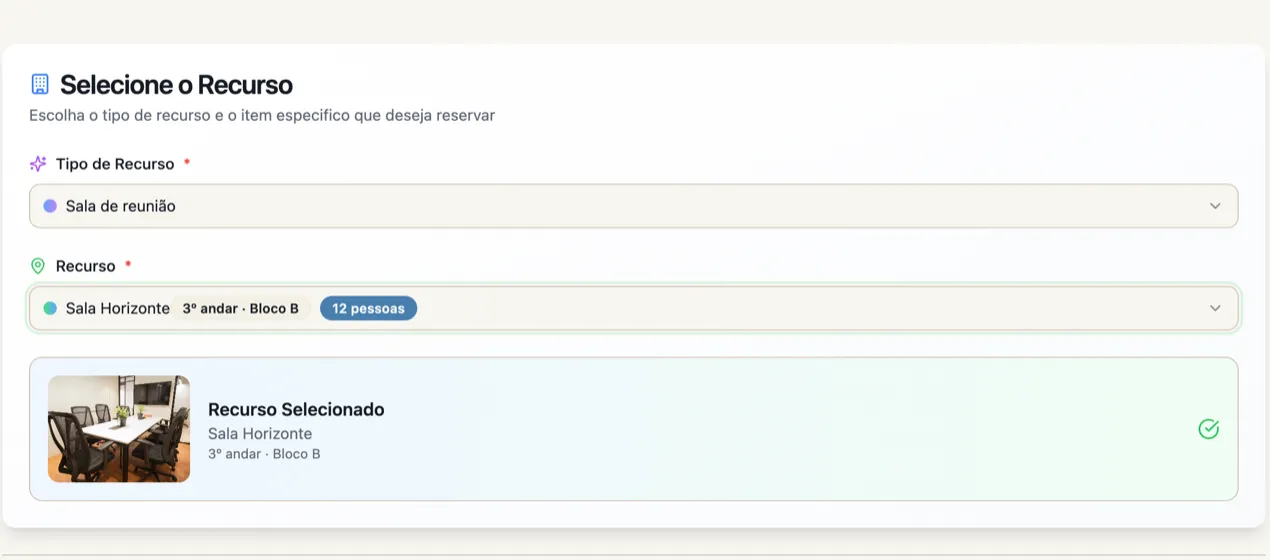
Room identified with photo, location, and capacity.
Organize the availability of rooms, vehicles, and equipment, define who can request each resource, and track approvals without relying on spreadsheets or scattered conversations.
Rooms • Vehicles • Equipment • Availability • Rules • Approvals
Available resource with photo, location, and capacity before choosing a time.
Shared resources
Bookings helps when several people or teams share the same spaces, vehicles, and equipment and need visibility into availability, rules, and owners.
Location, capacity, and schedule help people find the right space without checking each unit separately.
Mobile or limited-use resources enter the same catalog with their own owners and rules.
Allowed audiences and approval help protect resources that require authorization before use.
Select noncontiguous time slots for the same resource and review everything before submitting the request.
Product screens
The screens show resources with photos, time selection, interval review, allowed audiences, and approval requirements.
Photo, location, and capacity help requesters confirm that they selected the right resource.
Room identified with photo, location, and capacity.
The schedule allows selecting more than one available time slot for the same resource and date.
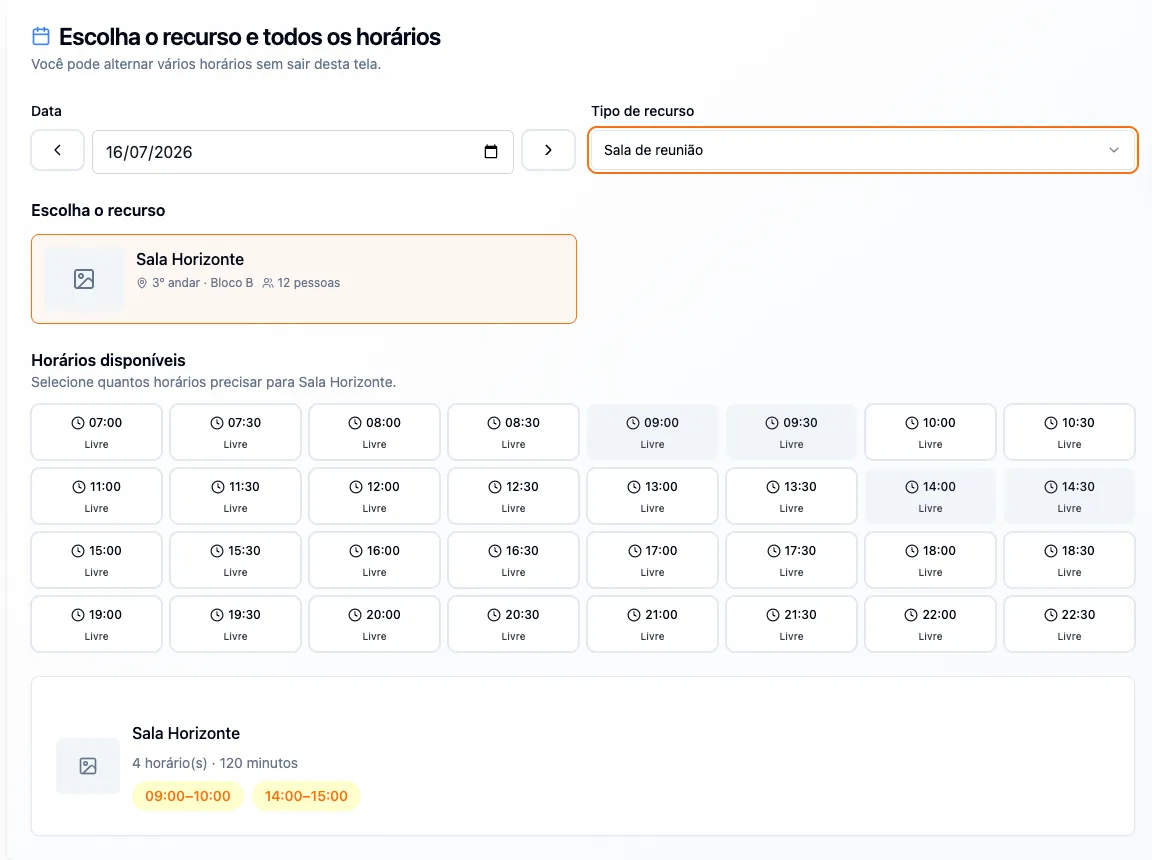
Two time slots selected before moving to review.
Resource, time slots, participants, and purpose appear together before request submission.
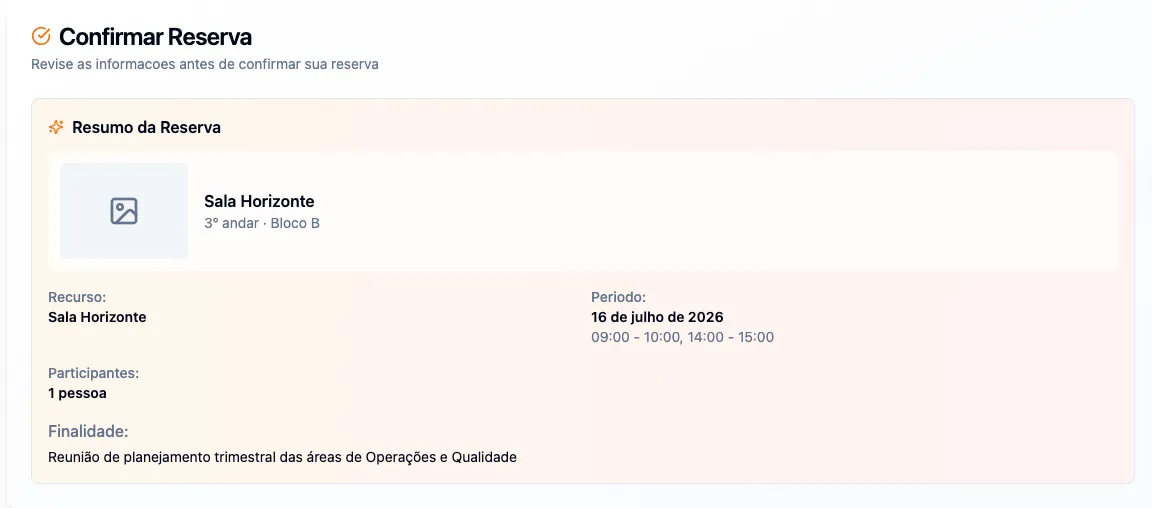
Review of booking times, participants, and purpose.
The resource type can require approval, while the audience defines who can view and request related spaces.
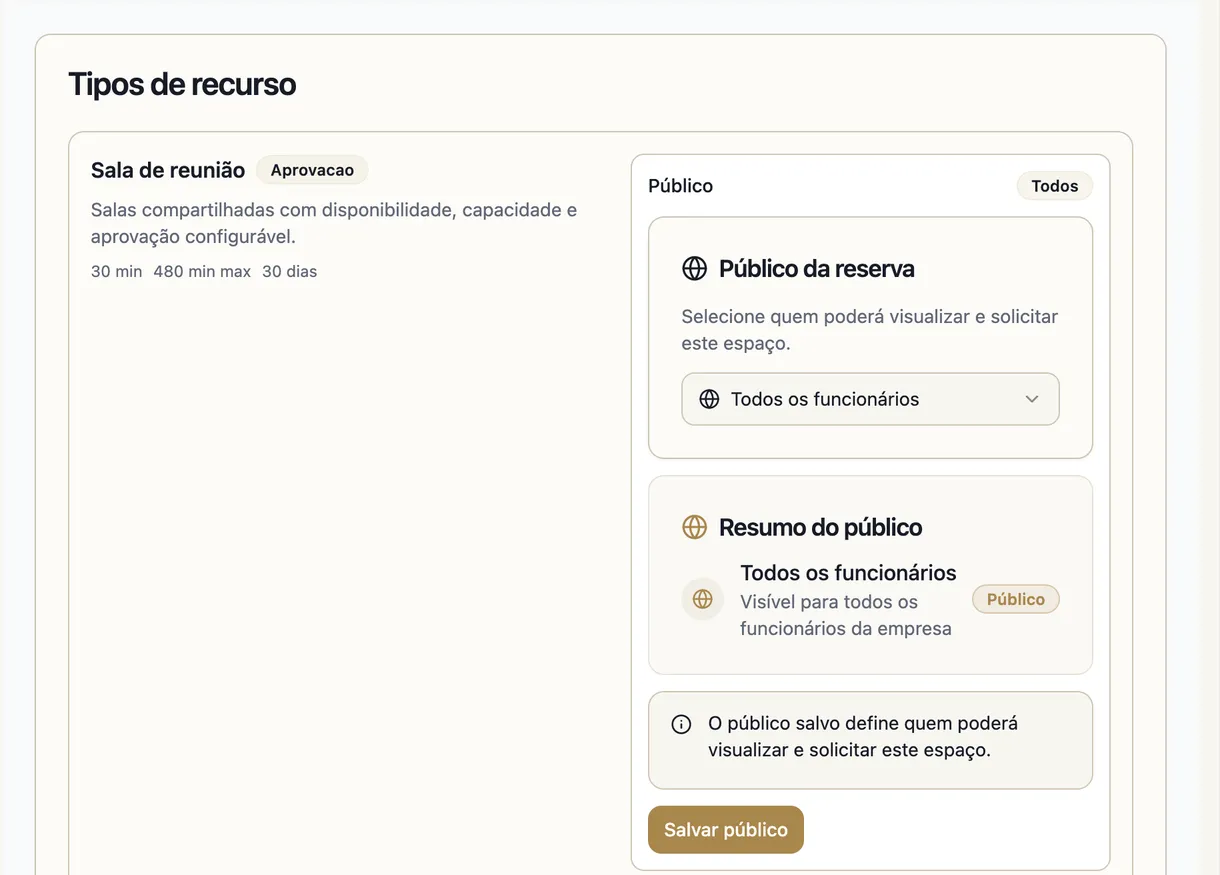
Resource type with approval and allowed audiences defined.
Main capabilities
Resources, availability, multiple time slots, audiences, rules, approval, and tracking enter the same flow.
A catalog with enough context to choose the right resource and time.
Types and resources
Rooms, vehicles, equipment, and other resources are organized by type.
Location and capacity
Practical details guide selection before checking time slots.
Resource photo
Visual identification makes it easier to confirm the selected space or equipment.
Availability schedule
Free, occupied, or unavailable time slots appear in the request context.
The requester assembles the usage need, reviews the time slots, and submits a coherent request.
Purpose and participants
The request records the purpose and number of participants.
Noncontiguous time slots
More than one time slot can be selected for the same resource and date.
Review before submission
Resource, time slots, and context remain visible for final confirmation.
Conflict prevention
Resource availability guides selection and prevents overlapping time slots.
Each resource can follow conditions suited to its risk, audience, and usage model.
Allowed audiences
Departments, units, roles, teams, or people can compose the authorized audience.
Rules by resource
Advance notice, duration, and usage hours can match the needs of each resource.
Approval when required
Controlled resources can wait for an owner decision before confirmation.
Defined owner
Resource management is associated with the person who oversees requests and rules.
Requests remain organized for consultation, decisions, and operating history.
My bookings
Each person tracks their own requests and respective statuses.
Administrative view
Owners consult requests, resources, and dates in the same environment.
Grouped decisions
Related time slots can be reviewed together to keep the request coherent.
Status history
Request, approval, rejection, or cancellation remain identified.
Usage control
Requesters, owners, and approvers consult the same resource, time slots, and status.
Which resources are available to each audience and unit.
Which time slots were selected and which remain available.
Which requests depend on approval before confirmation.
Who requested, what the purpose is, and how many people will participate.
What the current status is for each request and resource.
Connected to the platform
People data helps define audiences, the intranet centralizes access, and communication keeps rules and guidance close to daily work.
Access to bookings stays in the same official environment used by teams.
Departments, units, roles, and teams help compose the audience for each resource.
Usage policies and guidance can stay close to the audiences that use the resources.
Operational pending work related to a resource can gain an owner and deadline.
Best fit
Good fit comes from a clear operational problem, not from enabling a catalog module.
When rooms and spaces need a visible schedule for several teams.
When location and allowed audiences vary by unit or department.
When owners need to organize availability, rules, and requests.
When usage requires a defined audience, approval, or specific rules.
FAQ
Objective answers to align expectations about module scope and usage.
The company can organize rooms, vehicles, equipment, and other shared resources, with type, location, capacity, photo, availability, and rules suited to each case.
Configuration can define audiences by department, unit, role, team, or person. This way, each resource appears to those authorized to use it.
Yes. A person can select noncontiguous time slots for the same resource and date and review them before submitting the request.
Approval can be required for resources that need additional control. In these cases, the request waits for the owner's decision before confirmation.
The schedule presents resource availability during the request and prevents overlapping time slots from being confirmed for the same resource.
In the demo, we start with your company's real resources and show availability, audiences, rules, requests, and approval.