Extranet to publish communications and documents for external audiences

Create a public portal with your company identity and publish only communications and document versions selected through an explicit action by the authorized team.

No-login access • Search • Explicit publishing • Permissions • Audit history

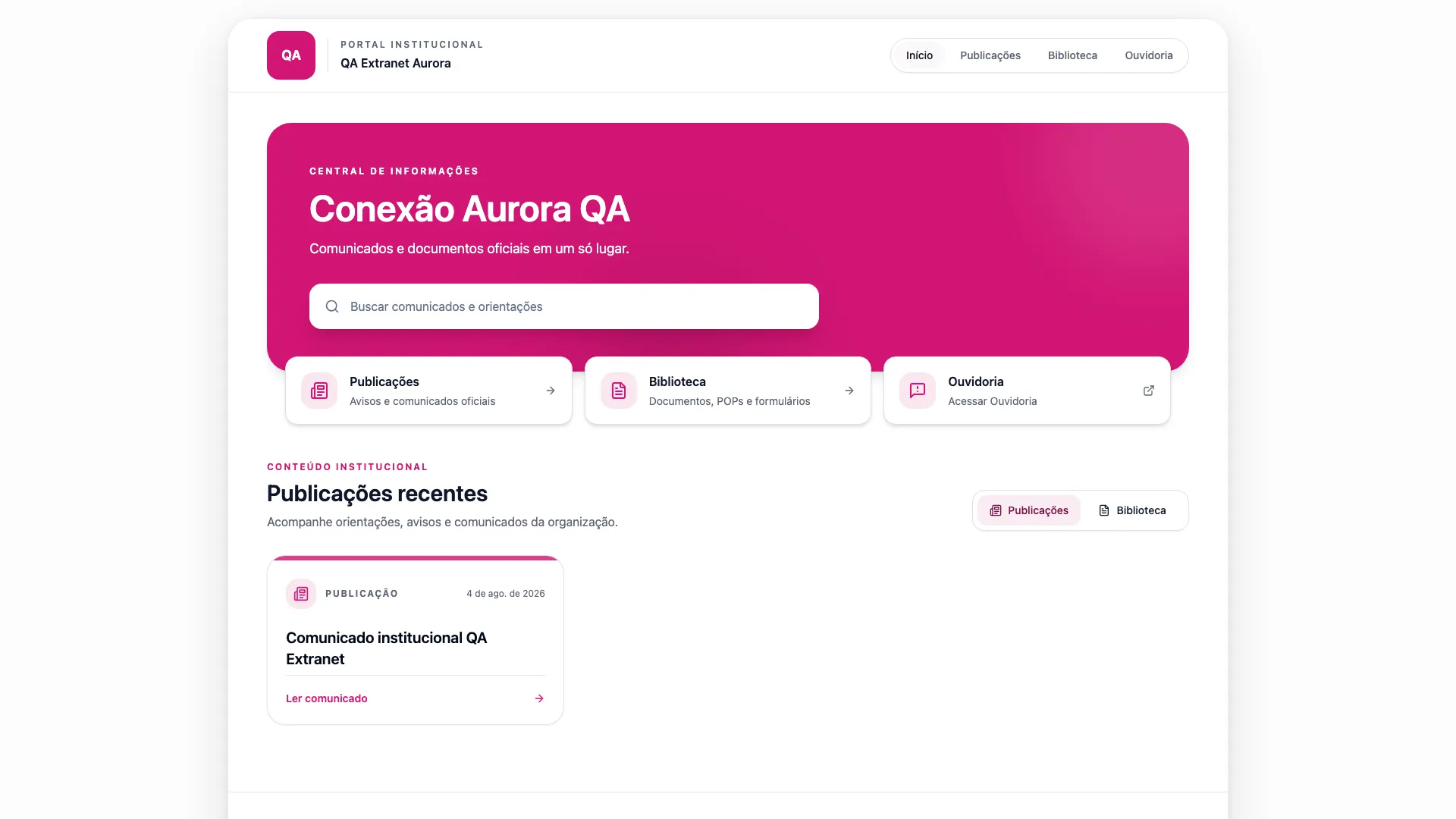
Vindula Extranet public portal with search, communications, documents, and optional Ombudsman access

Public portal configured with identity, search, and access to published content.

Module capabilities

External publishing with selection and control

The module combines a configurable public portal with explicit publishing, removal, and audit actions.

Configurable public portal

A public area for accessing selected content with company identity.

  • Access without login

    Visitors access only the content published in the portal.

  • Theme, logo, address, and copy by company

    The public presentation can follow the organization's identity and guidance.

  • Search and pagination

    Access tools help visitors browse published communications and documents.
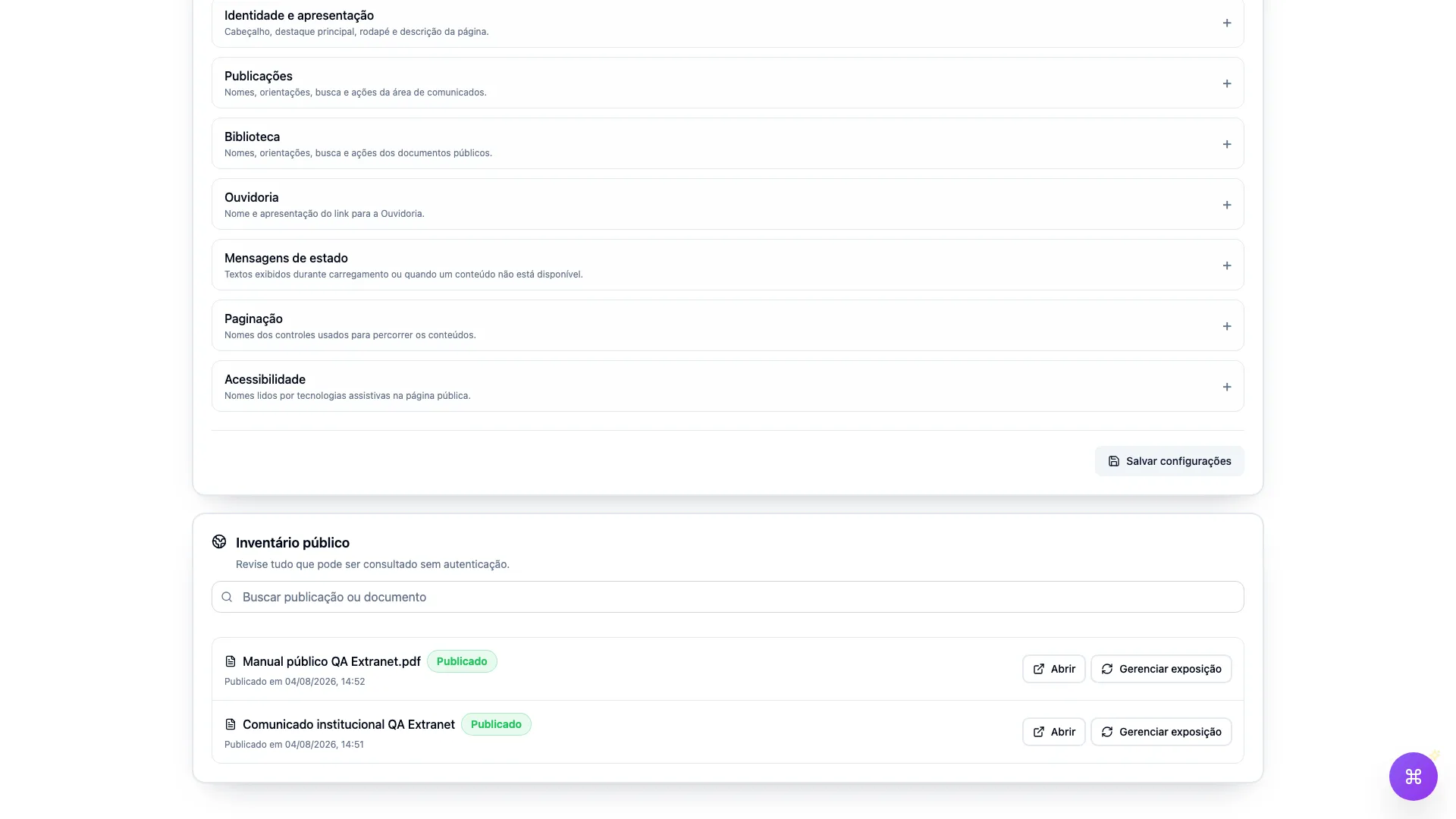
Governed external publishing

Only content selected through an authorized action enters the public portal.

  • Communications published through an explicit action

    The team chooses which standard communications will be exposed outside the intranet.

  • Library document versions

    Publishing preserves the selected document version for external access.

  • Viewing and download according to document policy

    The public experience follows the access mode defined for the document.

Control and revocation

Permissions and history support ongoing control of public exposure.

  • Separate permissions to configure and publish

    Portal configuration and content exposure can be assigned to different authorized teams.

  • Republishing and removal

    The inventory supports updating exposure or removing content from the portal.

  • Audit history

    Relevant actions remain recorded for administrative review.

Operational control

What the team controls before and after publishing

The authorized team decides which content may leave the intranet and tracks the public inventory over time.

Which communications and documents are exposed in the public portal.

Which version of each document was selected for external access.

Who can configure the portal and who can publish content.

When to republish or remove content from the public inventory.

Where it fits

Scenarios that need governed public access

Extranet supports organizations that need to inform external audiences without exposing all internal content.

Suppliers and partners

When policies, guidance, and communications need to reach defined external audiences.

Distributed operations

When external teams need access to an updated public reference.

Reference documents

When a defined version must be viewed or downloaded according to its policy.

Branded public portal

When public access must reflect the company's theme, logo, address, and copy.

FAQ

Questions about Vindula Extranet

Understand public access, content selection, and exposure control.

Do Extranet visitors need to log in?

No. The portal is public and read-only. Visitors access only communications and documents that were explicitly published.

Does all intranet content appear in Extranet?

No. Only standard communications and document versions selected through an explicit action by the authorized team enter the portal.

Can published content be removed or updated?

Yes. The authorized team can remove a publication or republish selected content while retaining an audit history of relevant actions.

Is the Ombudsman channel part of Extranet?

Extranet can display an optional link to the Ombudsman channel. The two flows remain separate, each with its own purpose and controls.

Want to organize content publishing for external audiences?

In the demo, we show how to configure the portal, select communications and document versions, and track the public inventory.