
Screen 01
HR dashboard
Metrics, case progress, and the review queue in one operational view.
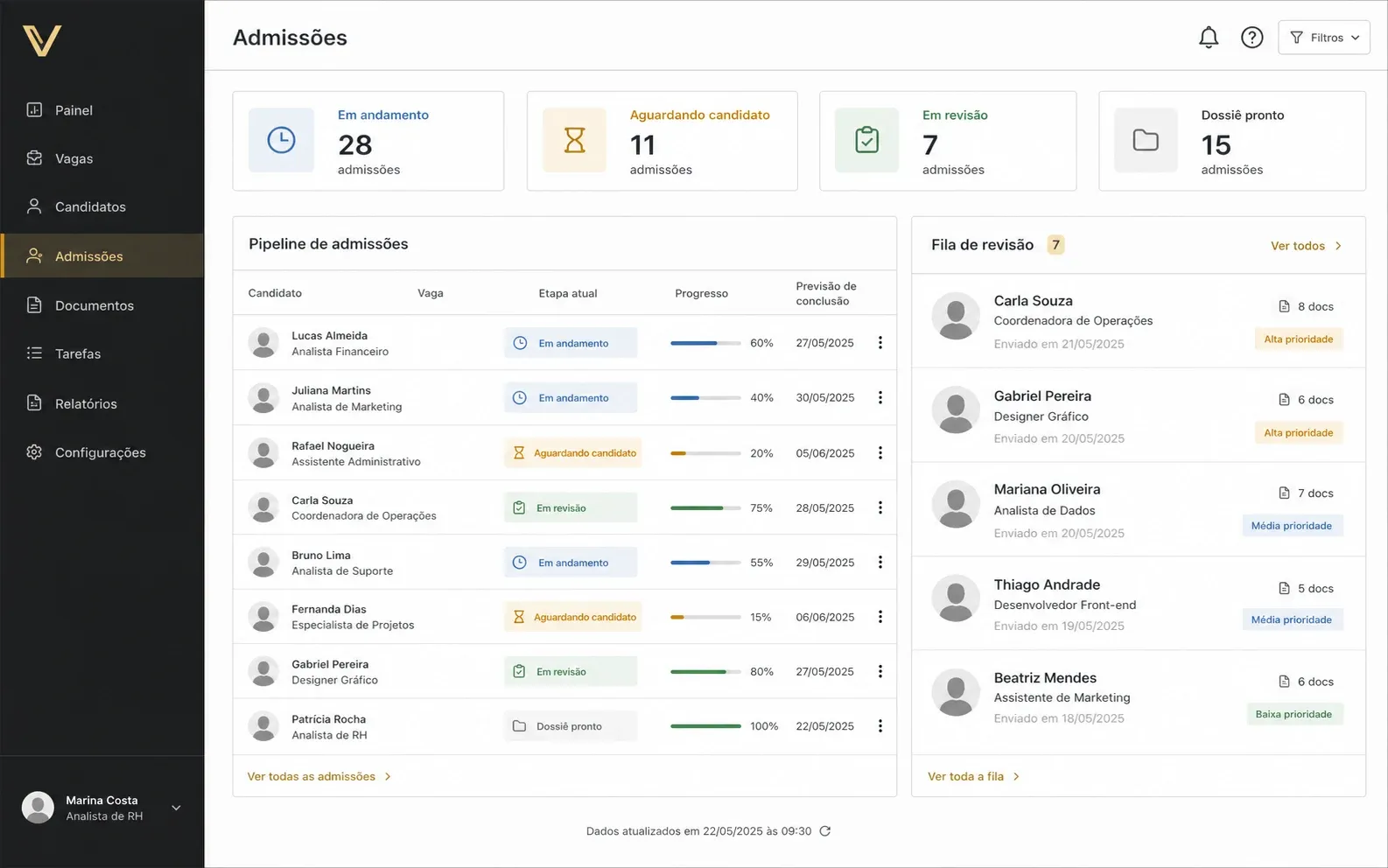
Illustrative representation with fictional data.
Configure journeys by role, invite candidates to complete data and submit documents on mobile, and track human review, corrections, signatures, and dossier preparation in one HR queue.
Protected invitation • Mobile portal • Human review • Signatures • Dossier
Illustrative representation of the dashboard used to track volume, stages, pending items, and cases that need review.
When admission requires coordination
The module supports operations that need varying requirements, less rework, and a clear view of what is missing before completing an admission.
Apply the right context by role and unit without distributing different spreadsheets and lists through messages.
Return only the item that needs correction and keep the history of submitted versions.
Show stages, pending items, and the next action in a protected portal with progress resumption.
Consolidate accepted documents, approvals, and signatures before releasing the next internal journey steps.
Integrated experience
These illustrative representations show how the dashboard, mobile portal, and dossier can organize the same journey without exposing real data.
Metrics, case progress, and the review queue in one operational view.
Illustrative representation with fictional data.
Stages, progress, documents, and the next action presented directly on mobile.
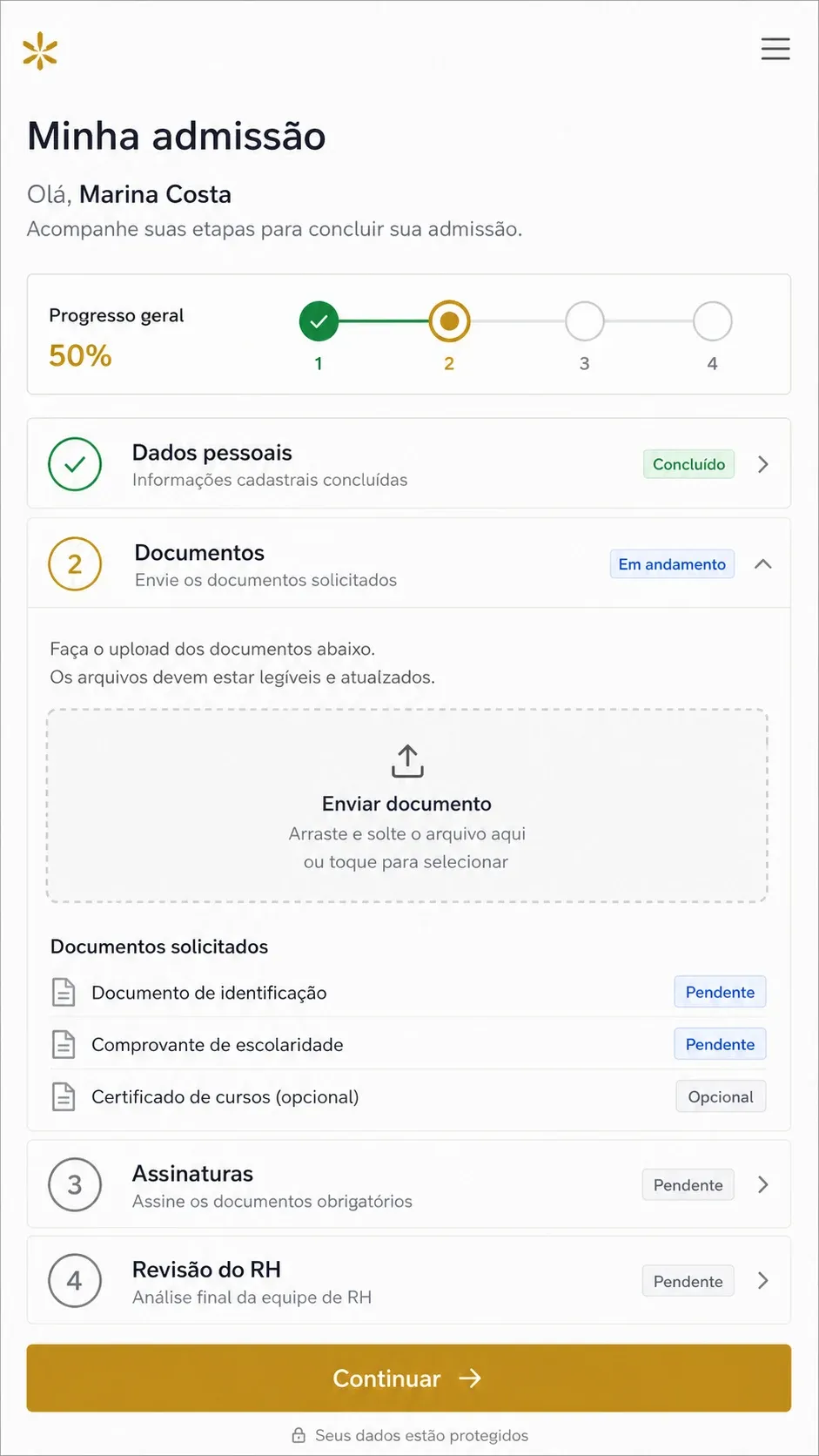
Illustrative representation with fictional data.
Validated data, accepted documents, signatures, and manifest gathered before the HR handoff.
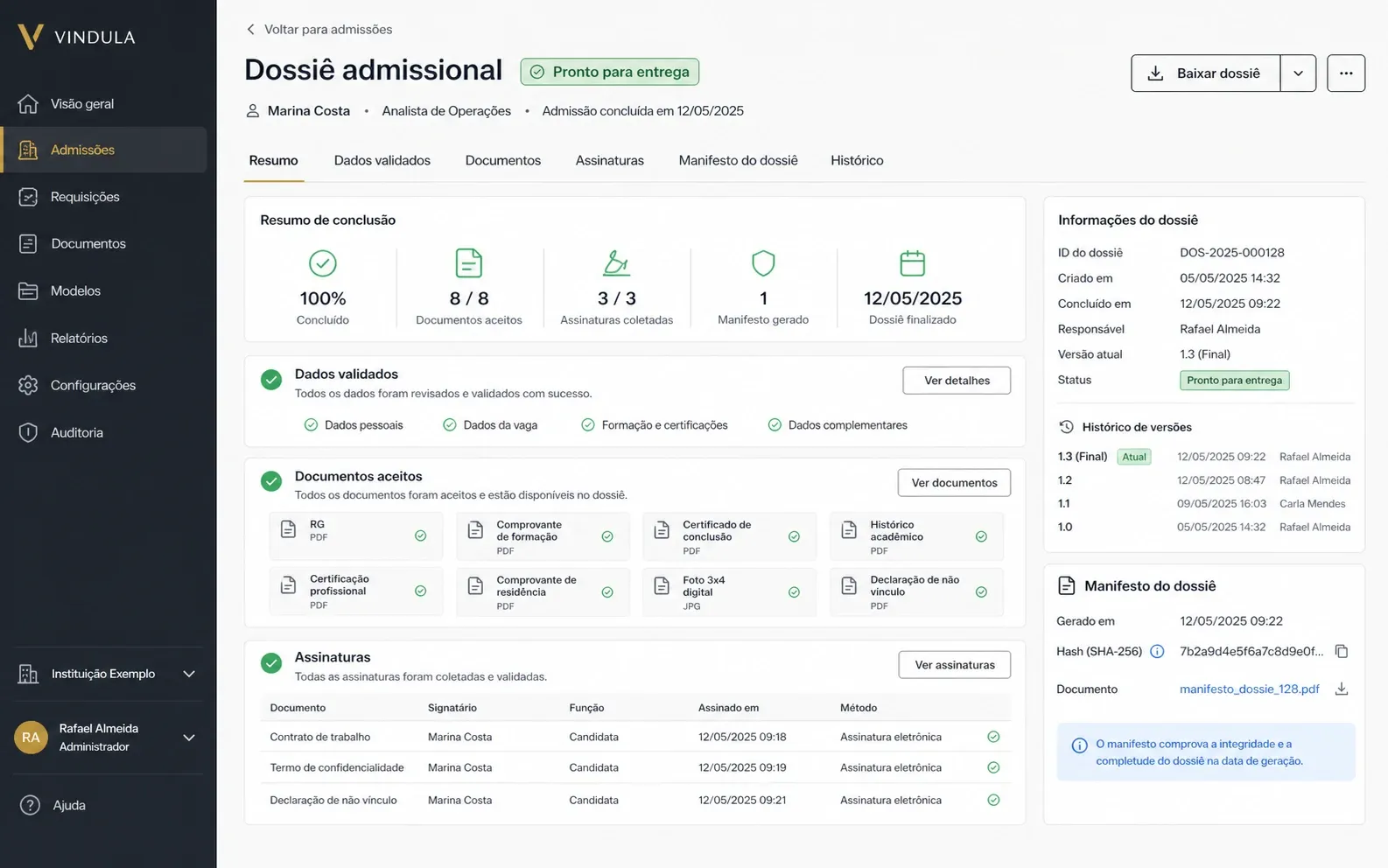
Illustrative representation with fictional data.
Module capabilities
Controls to prepare the journey, guide candidates, review each submission, and assemble a traceable dossier.
The journey starts from rules defined before contacting the candidate.
Workflows by role and context
Each case receives a defined workflow version with applicable stages and requirements.
Invitation and protected access
Candidates enter through the admission invitation and confirm access before viewing the process.
Stages and owners
HR and participating teams can see the activities assigned to each part of the journey.
Data and documents move forward with separate visibility for completion and validation.
Progressive completion
Candidates see what is complete, what is missing, and the next action.
Review and correction
The team accepts, returns, or replaces submissions while preserving version history.
OCR as assistance
Extraction assists the review, but the decision to accept or correct remains human.
The process gathers validated items before releasing the next journey stage.
Segregated ASO
The occupational health record is handled separately from common dossier documents.
Linked signatures
Formal documents can include candidate and designated owner signatures.
Dossier with manifest
The handoff gathers data, accepted documents, approvals, signatures, and integrity references.
HR tracks the process without losing the context of previous decisions.
Progress by stage
Indicators show completion, validation, and cases that need attention.
Case history
Events, versions, and decisions remain associated with the corresponding process.
Controlled release
Internal access continues only after the defined stages are complete.
Operational control
Each case preserves the applied workflow, submission history, and actions completed during review.
Which workflow version was applied to each role and context.
Which data and documents still depend on the candidate.
What is complete and what HR has already validated.
Which items were returned and which version replaced the previous one.
Which signatures and approvals still need completion.
When the dossier is ready for handoff and continuation in HR.
Before and after admission
Digital Admission organizes pre-admission. Human Resources receives the approved context, Electronic Signatures formalizes documents, and Training supports integration after hiring.
Use the approved admission context to continue employee records, structure, and the internal journey.
Formalize documents that require acknowledgment and keep the receipt associated with the workflow.
After hiring, run orientation, policies, learning paths, and mandatory content.
Keep official policies and documents available in the correct version for the internal journey.
Best fit
Implementation starts with a real process, with defined roles, documents, owners, and review criteria.
When HR needs to track many cases without losing pending items and deadlines.
When roles, units, or employment types require different journeys and documents.
When candidates and owners are in different locations and need to work in the same flow.
When the company needs to complete review before starting training and internal access.
FAQ
Direct answers about scope, integrations, review, and module availability.
The module organizes workflow configuration, invitation, mobile portal, progressive collection, review, corrections, segregated ASO, signatures, dossier, and controlled release for the next HR steps.
No. Admission organizes collection, review, and formalization before entry. Onboarding starts afterward with communication, policies, tasks, and training for the new employee.
Not as a native capability of this offering. The module prepares data, documents, and the dossier. Payroll or eSocial integrations depend on the destination system, contracted scope, and project-specific validation.
No. Extraction and automated checks serve as assistance. The decision to accept, return, or request correction remains with the authorized team.
Implementation starts by mapping roles, contexts, requirements, documents, owners, review criteria, and HR handoff points. The module is available by project.
In the demo, we start with your roles, documents, and owners to show how to organize collection, review, signatures, and dossier handoff.