
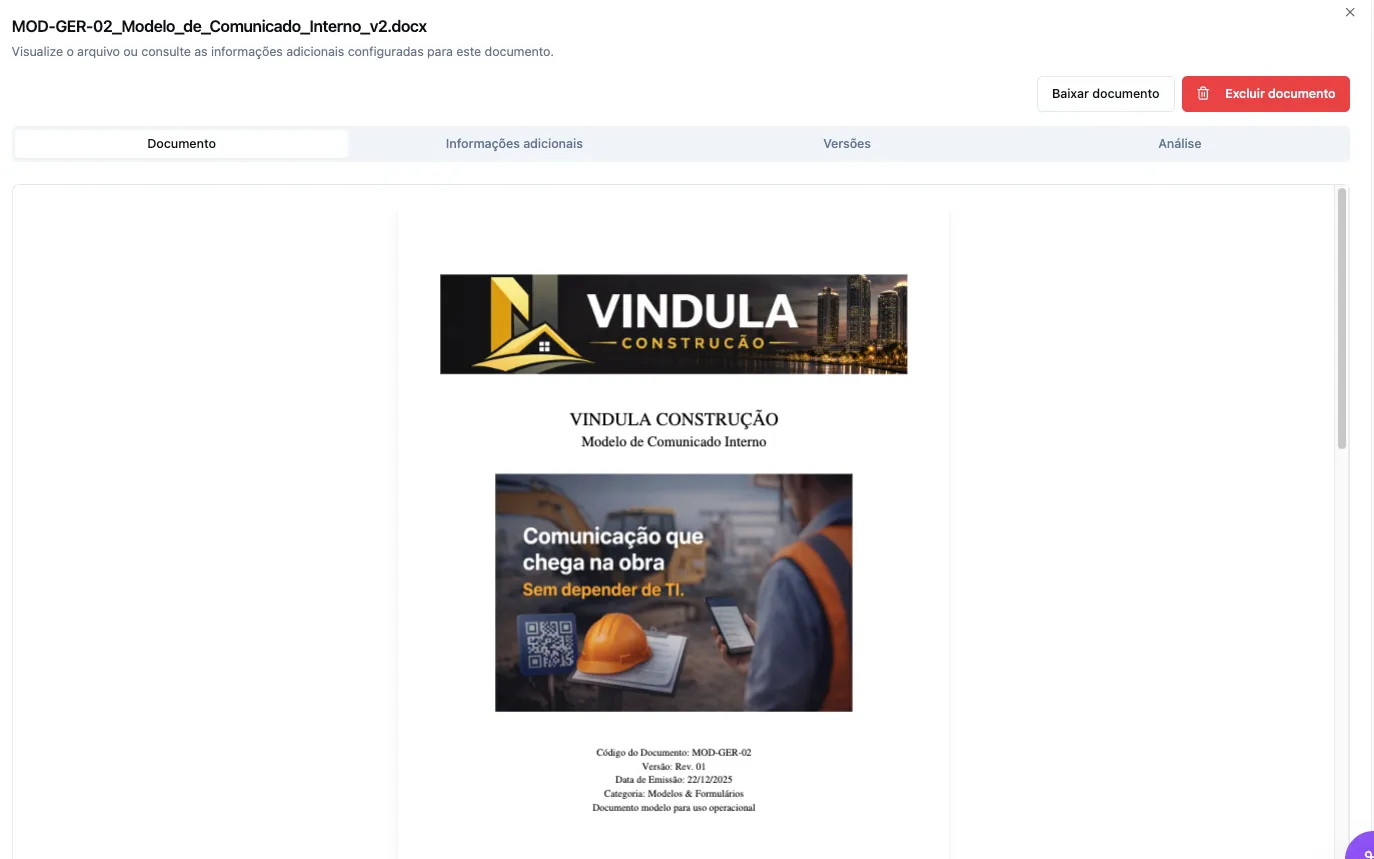
The right document, in the right version
Find and update the right file without losing its history.
-
Versions and validity
Review the history and restore previous versions.
-
Search and organization
Search by name, category, and repository data.
Centralize mandatory documents, leave spreadsheets behind, and see who completed them, who is pending, and where to act before the deadline.
SMS confirmation can strengthen verification when included in the project.
Track completion, delays, and deadlines in one view.
Less manual follow-up
HR, Quality, or Operations teams no longer need separate messages and controls to discover who received, completed, or still needs to act.
Keep documents, versions, and deadlines in one place without relying on separate folders and spreadsheets.
Direct each obligation or signature to the employee, team, or audience that needs to act.
See who completed the action, who is pending, and which history supports each follow-up and decision.
See before you decide
Browse real Vindula screens and see how documents, versions, pending items, and completions become clear to the team.
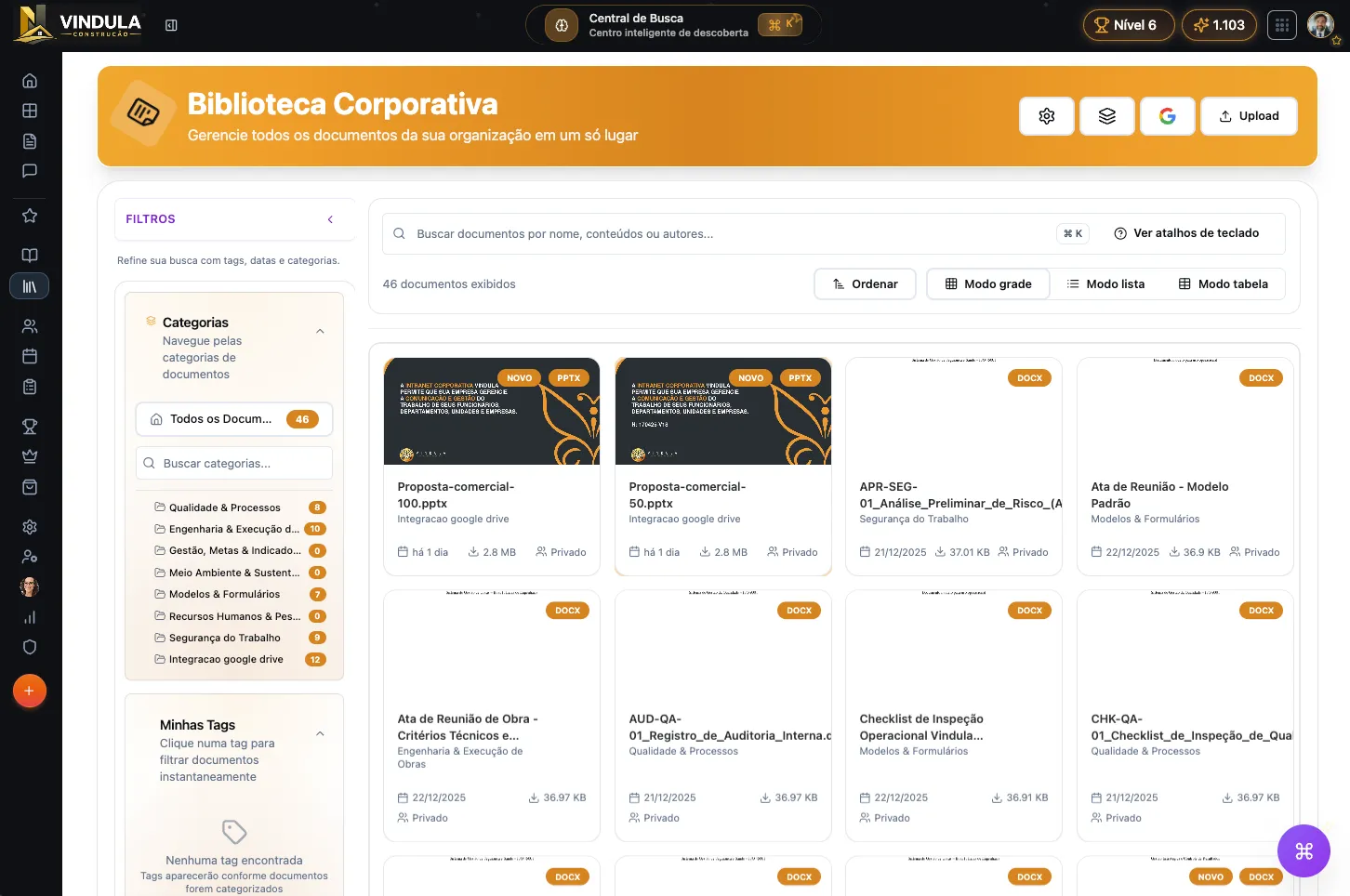
Search, categories, and repository information help teams quickly reach the version they need.
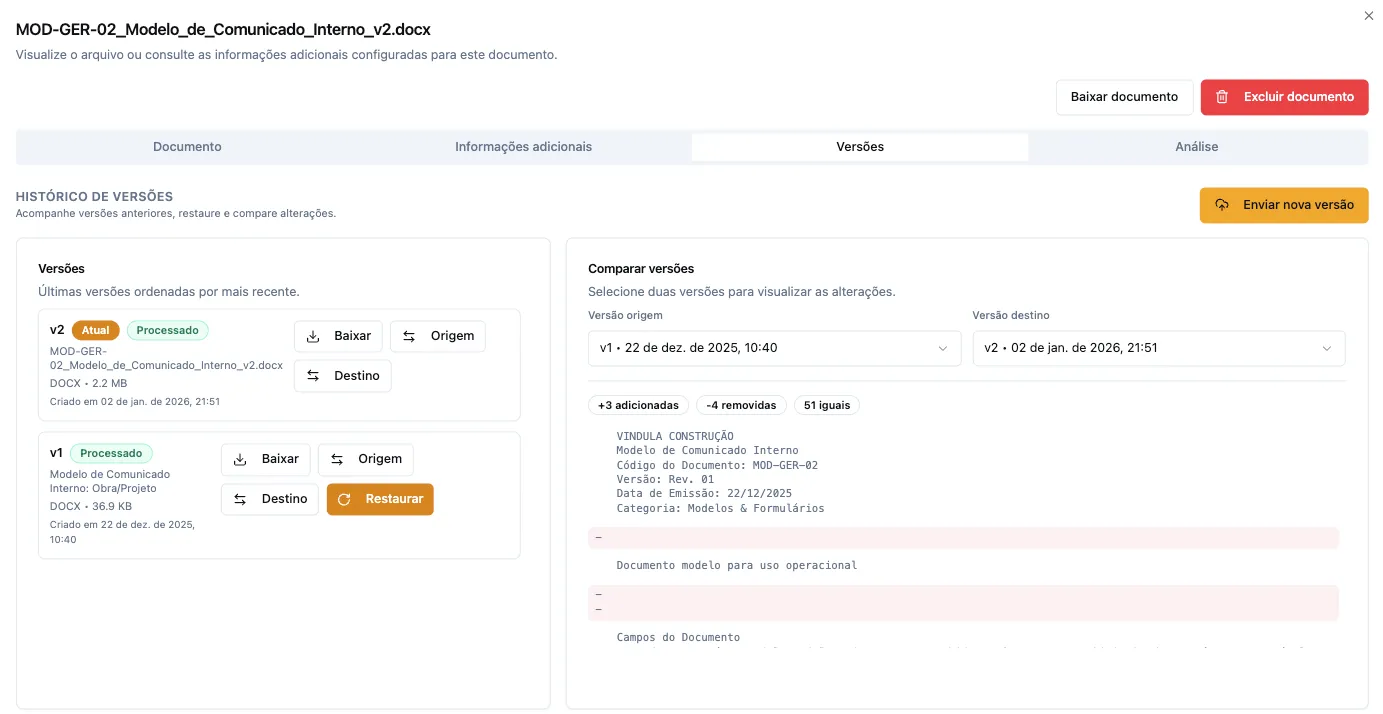
Previous versions, dates, and change comparisons remain available for review and recovery.
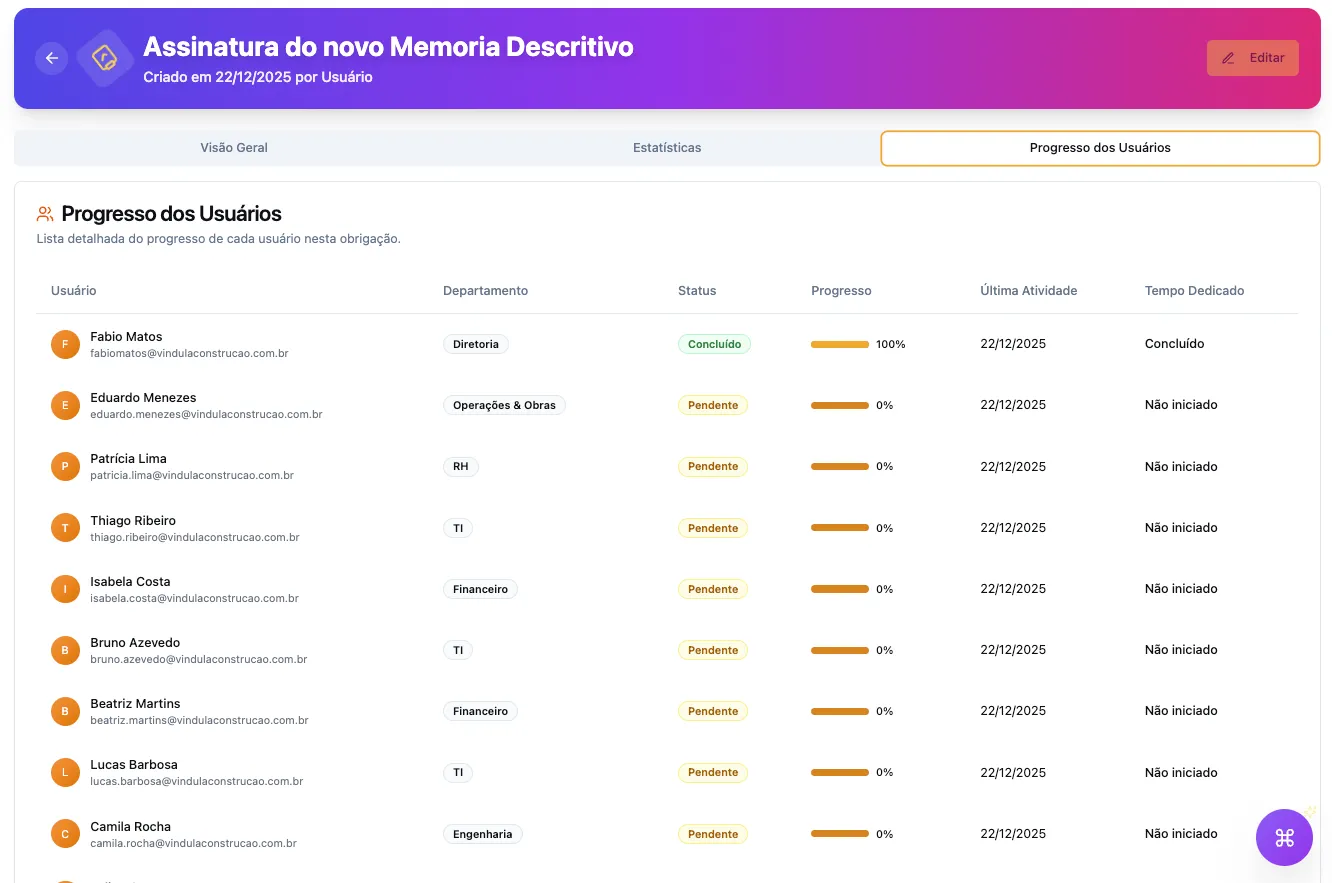
Progress by person and department guides follow-up and avoids manual checks across messages and spreadsheets.
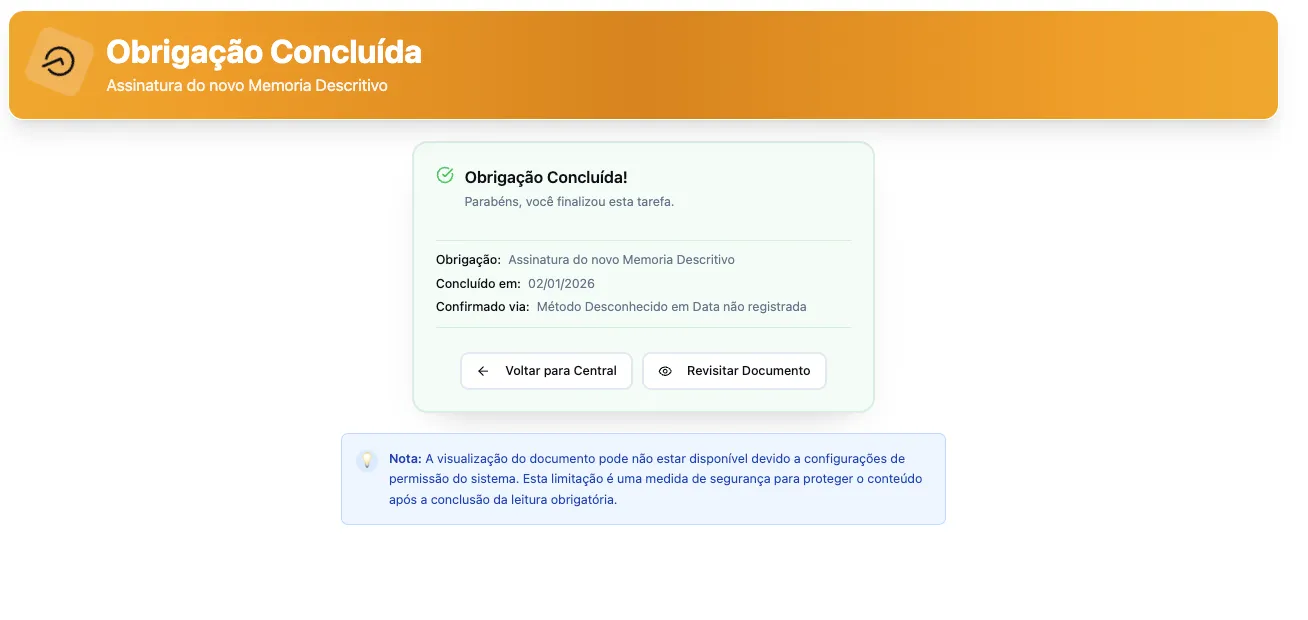
Completion is recorded so the company can review the result and keep the evidence accessible.
Screen 1 of 4
Trust built in practice
Organizations across different industries already trust Vindula to support their internal routines.











What changes in daily work
Each stage clearly shows what is current, what is complete, and what still needs your team’s attention.
Find and update the right file without losing its history.
Versions and validity
Review the history and restore previous versions.
Search and organization
Search by name, category, and repository data.
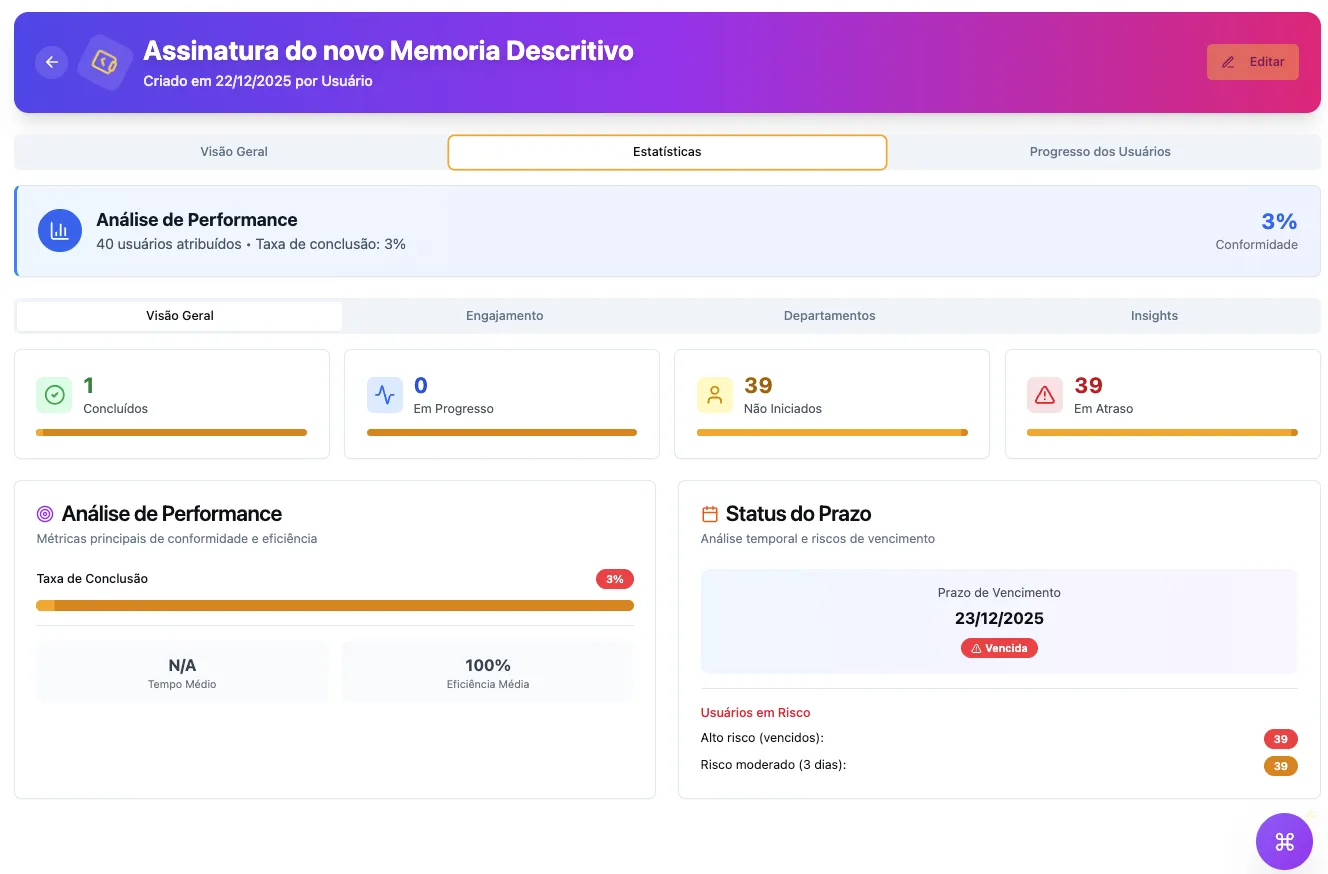
Send to the right people and track through completion.
Batches and recipients
Organize documents, batches, and recipients.
SMS confirmation
Add SMS verification when included in the project.
Quickly see who completed the action and who still needs to act.
Status by person
Track progress by person and department.
Deadlines and history
Use dates and records to prioritize follow-ups.
See it in your scenario
During the conversation, we use your current process to show where Vindula reduces manual follow-up and increases visibility into deadlines and completion.
Tell us a little about your company. Our team will prepare a conversation based on the process you want to improve.
* Required fields
Do you recognize this scenario?
If your team needs to follow up, check versions, or prove that someone completed an obligation, there is already a strong starting point.
HR distributes policies, terms, amendments, and other documents that require individual tracking.
Quality and compliance teams need to control versions, validity, and evidence without relying on parallel spreadsheets.
The company has multiple units or audiences and needs to send each document to the right people.
The operation wants to start with the document flow and connect intranet, communications, and training as needed.
Start with the priority
You can start with the most urgent problem and add communications, intranet, and training as operations evolve.
Explore Vindula GED controls for search, categories, versions, and validity.
See how batches, recipients, receipts, and reports fit into the signature flow.
Connect the document starting point to communications, intranet, training, and other modules.
Before moving forward
These answers help you understand how Vindula fits your documents, recipients, confirmation methods, and evidence needs.
No. The solution brings together document management, obligation distribution, signature requests, and pending item tracking. Other Vindula modules can join the project according to the company’s scenario.
It depends on configuration and contracted scope. During the demo, the team confirms availability and presents the flow that fits your case.
Yes, when the project flow and permissions are configured for that tracking. The demo shows how recipients, statuses, and reports work together.
The applicable requirements depend on the document, process, and company needs. The team presents the records available in Vindula and aligns the appropriate use for your context.
We show how to organize the flow and which Vindula modules can support the routine beyond the signature step.