
Screen 01
Executive dashboard
Volume, progress, high-priority, completion, and critical-task indicators in one quick view.
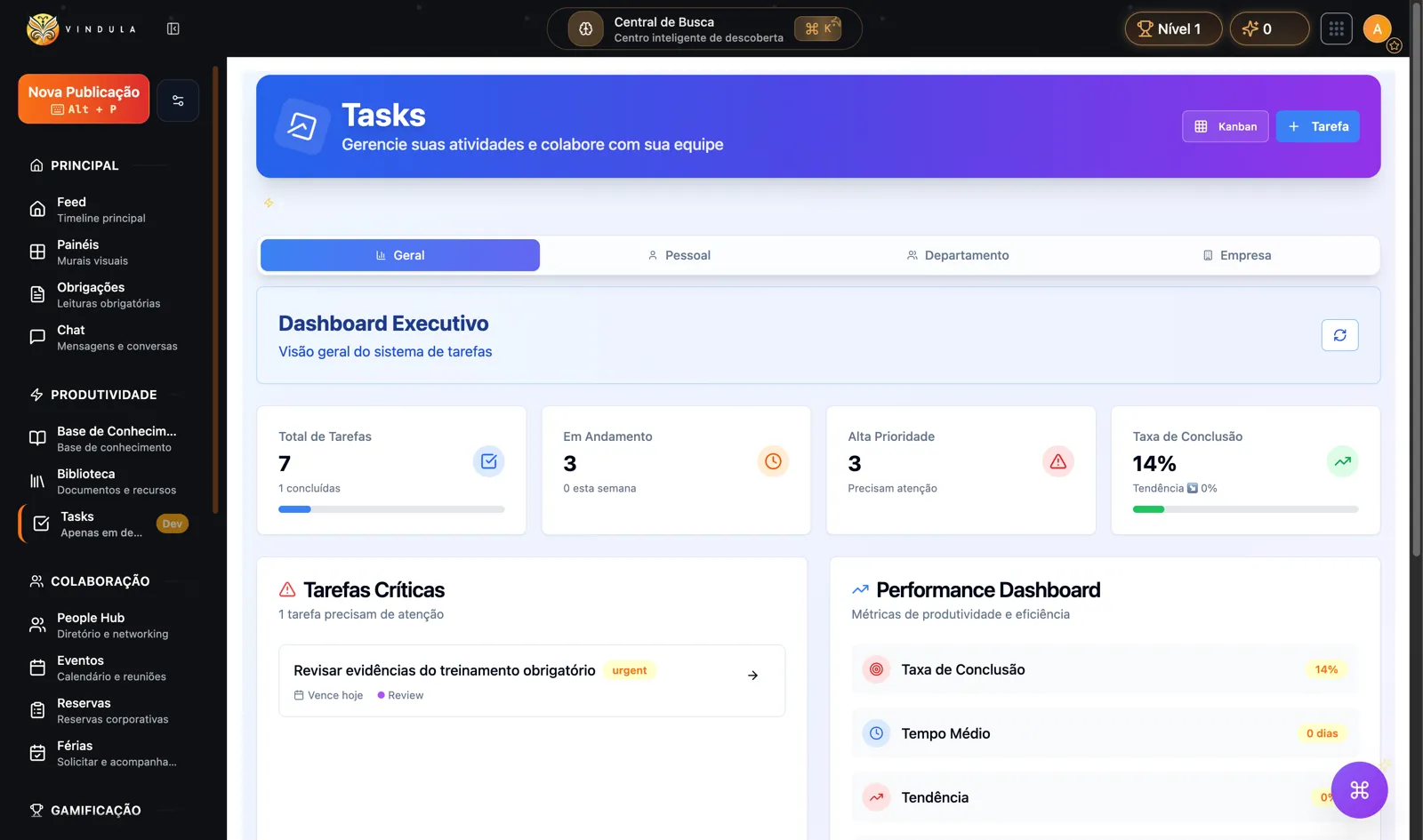
Module metrics panel to prioritize critical tasks and track completion.
Use tasks to move pending work out of loose conversations and give owners, deadlines, and status to routines such as mandatory reading, administrative close, maintenance, internal communication, and support requests.
HR • Compliance • Facilities • Communication • Administration
Executive panel with volume, priority, completion, and tasks that need attention.
Real use cases
Examples of business routines where pending work needs an owner, deadline, priority, and visibility — without becoming a full BPMS process.
Track who needs to complete mandatory reading, review evidence, and receive follow-up before the deadline.
Register maintenance, equipment replacement, or workplace adjustments with priority, deadline, and a queue for authorized owners.
Turn an internal instruction into trackable work when someone needs to execute, respond, or request help.
Organize month-end checklists, owners, and delays without relying on a parallel spreadsheet or lost message.
Product screens
The screens below show the module in use: dashboard, board, scoped creation, and task detail.
Volume, progress, high-priority, completion, and critical-task indicators in one quick view.
Module metrics panel to prioritize critical tasks and track completion.
Board with pending, in-progress, review, and done columns for tasks such as HR, weekly meeting, and mandatory training.
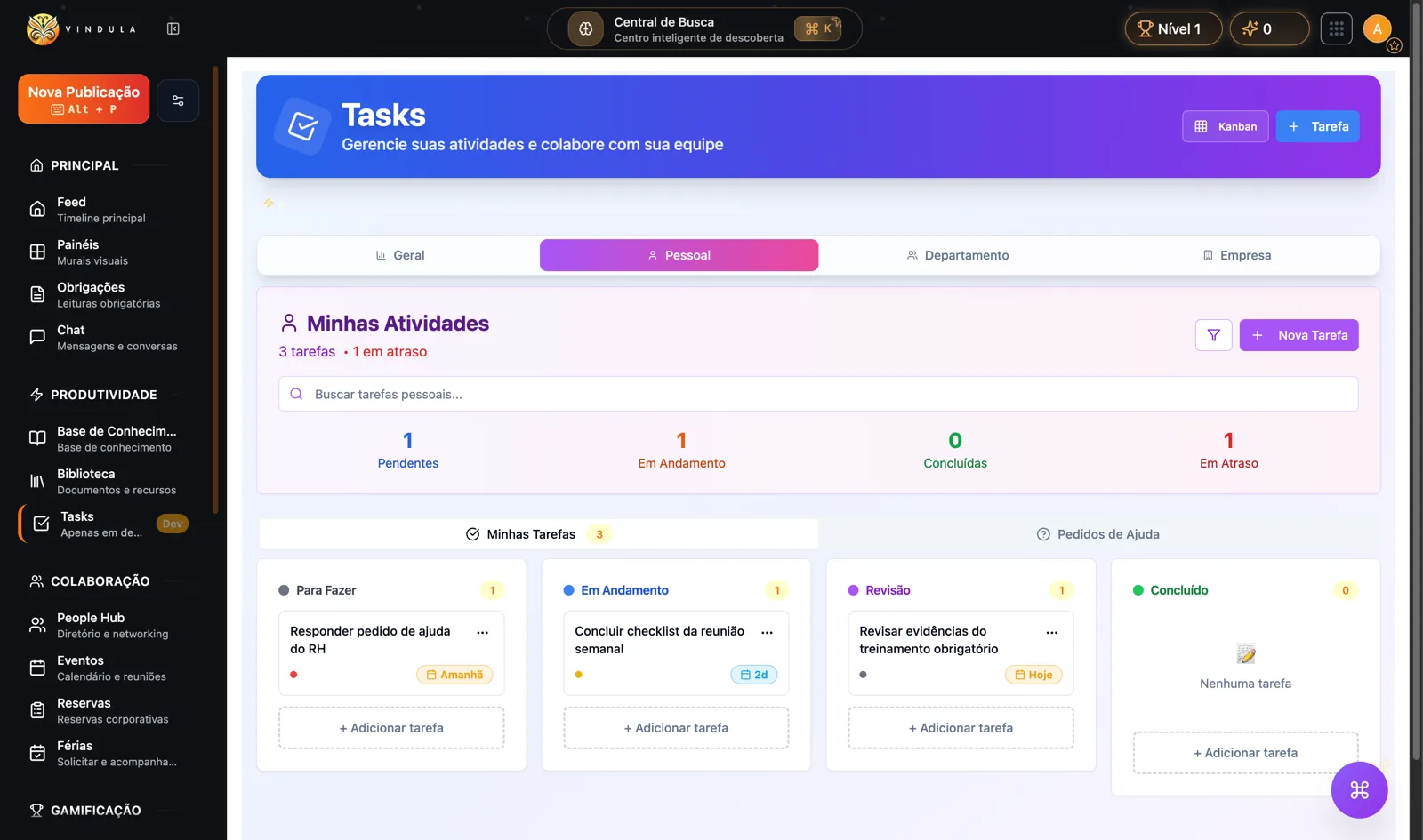
Board with status and deadlines for internal routines such as HR, meetings, and mandatory training.
Form to create a task with title, description, priority, type, scope, due date, owner, and configurable recognition.
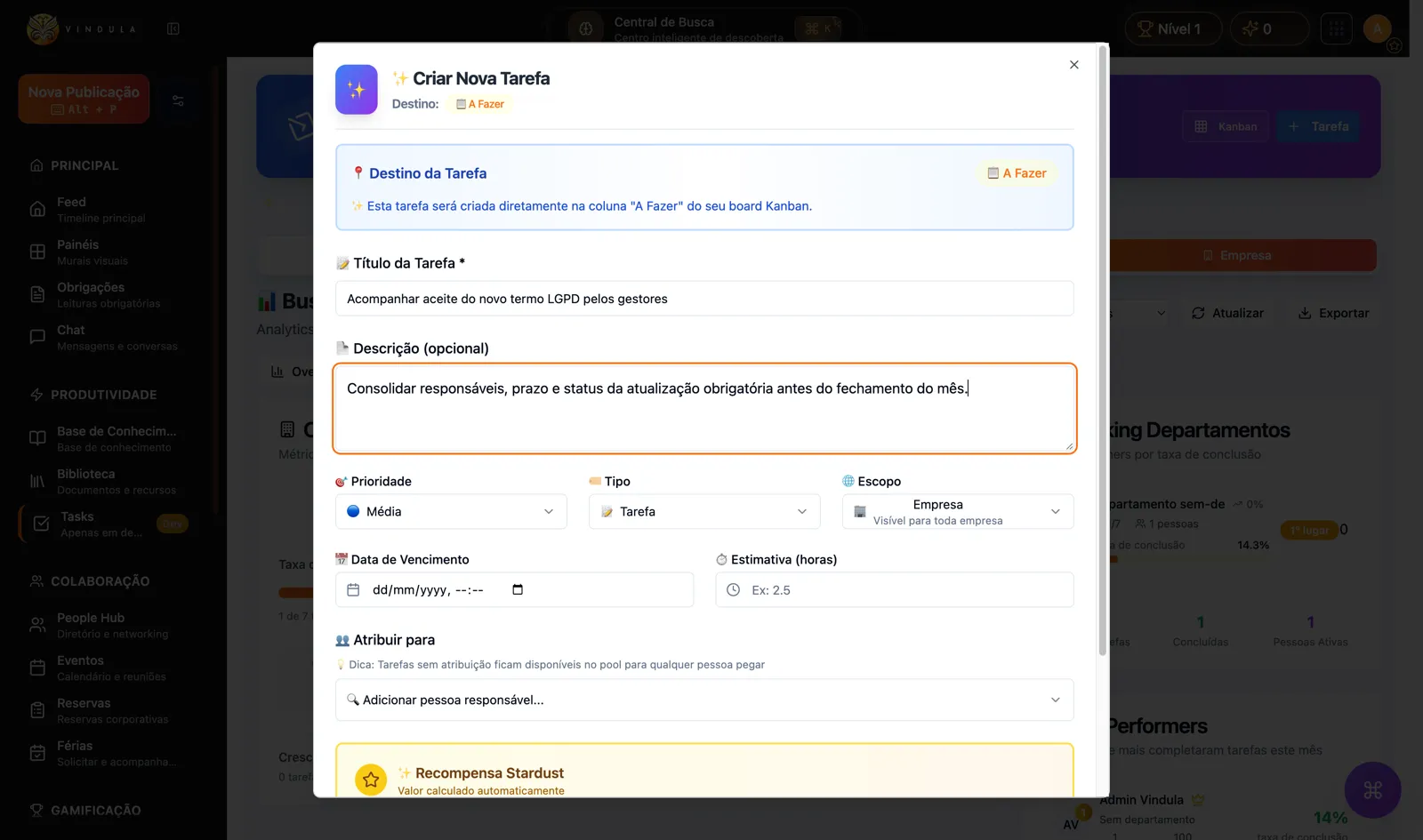
Example of corporate pending work with title, description, priority, scope, and owner.
Detail screen brings together description, owners, dates, urgency, overdue state, files, subtasks, and approval action.
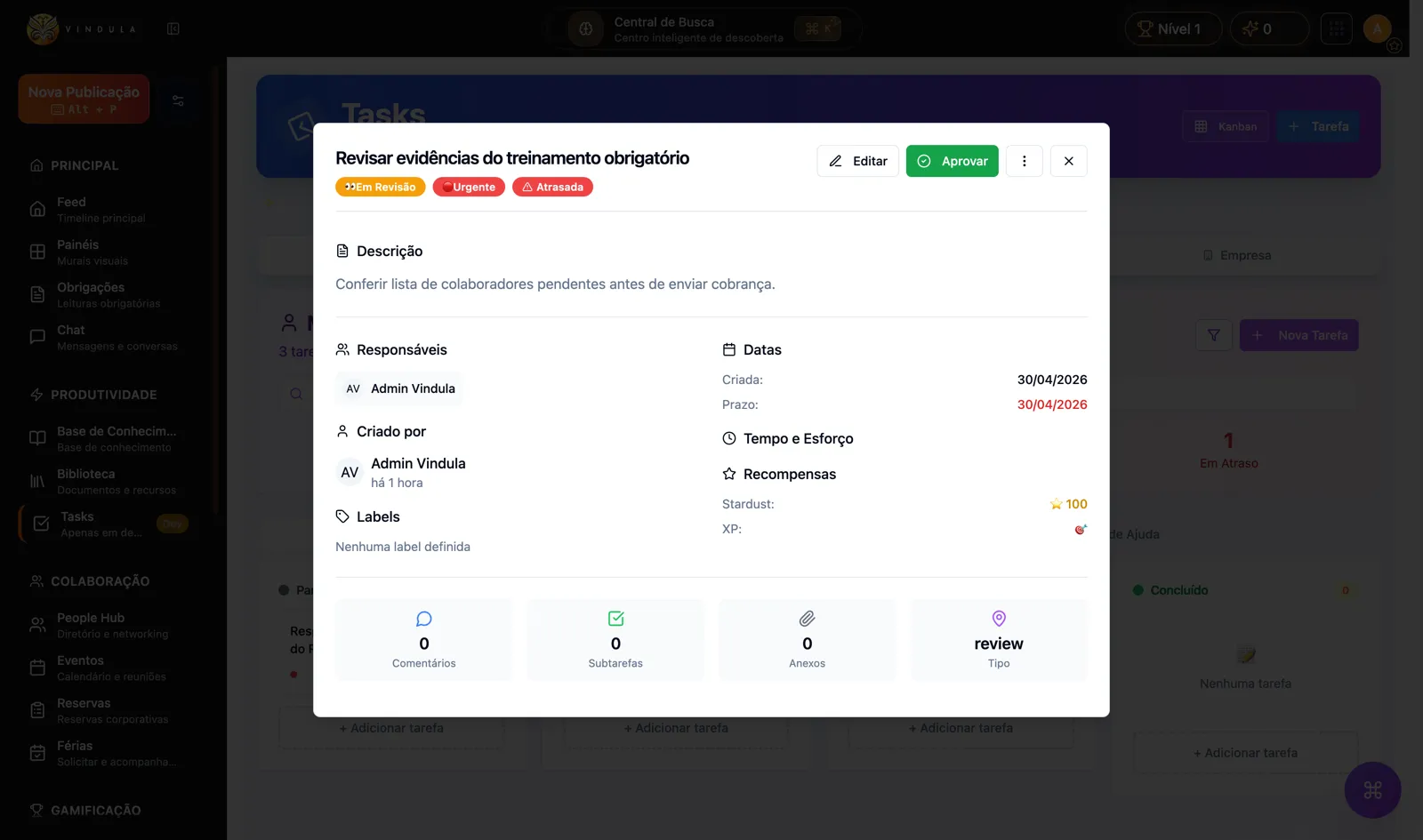
Task detail brings together owners, deadline, urgency, overdue state, and approval action.
Module capabilities
See the controls that help your company organize pending work, owners, deadlines, and history.
Structure tasks by scope, owner, status, priority, and deadline.
Personal tasks
Employee-owned work with status and due dates.
Team tasks
Shared board to track what is open, in progress, or done.
Company or department scope
Organization by operational context, without mixing audiences.
Priority and deadline
Control urgency, due dates, and overdue tasks.
Assign responsibilities and handle support requests inside the flow.
Assigned owners
Task with clear owners and minimal profile context.
Work queue
Open work that authorized owners can take on.
Help requests
Request, receive, and answer task-related help requests.
Assignable users
Lookup eligible people by company and department.
Track indicators and protect actions with permission and audit controls.
Operational filters
Search by text, status, priority, scope, overdue, and my tasks.
Statistics
Counters by status, priority, scope, and overdue work.
Permissions
View, create, edit, delete, and assign follow module controls.
Audit
Create, update, delete, and requests register audit events.
Operational control
The module makes sense when it solves a concrete operating routine with owner, context, and history.
Give owner, deadline, and priority to work that would otherwise stay in loose conversations.
Separate personal, team, department, and company tasks.
Track overdue work and volume by status without a parallel spreadsheet.
Request support or take on work with clear history.
Control important actions with permissions and activity history.
Connected to the rest of the platform
In Vindula, each module connects to the official channel, the right audiences, and the surrounding flows of documents, communication, people, and evidence.
Announcements can become trackable pending work when they require execution.
When a task needs to become a phased process, BPMS organizes the formal flow.
HR can use tasks for onboarding, internal pending work, and support requests.
See how tasks fit into the platform feature map.
Best fit
Good fit comes from a clear operational problem, not from enabling a catalog module.
When execution depends on clear owners and status tracking.
When work starts in communication but needs to reach the person who executes it.
For internal requests, follow-ups, reviews, and recurring activities.
You can start with one team and expand as usage matures.
FAQ
Objective answers to align expectations about module scope and usage.
No. Tasks organize simple execution with owners, deadlines, and help requests. When there are phases, fields, transitions, and formal process history, BPMS is the right path.
Yes. Viewing, creating, editing, deleting, and assigning follow module permissions, plus company-level enablement.
Yes. The module supports sent, received, and answered help requests inside the task flow.
The best path is to choose a pilot area, define who can view, create, and assign tasks, and map the first recurring work types.
The guided demo shows when to use simple tasks and when to turn work into a BPMS process.