Microsoft 365 connected to the intranet without becoming another loose channel

OneDrive, SharePoint, Teams, Outlook, and Power BI can support communication, documents, and decisions inside the same governed environment.

OneDrive • SharePoint • Teams • Outlook • Power BI • Microsoft Graph

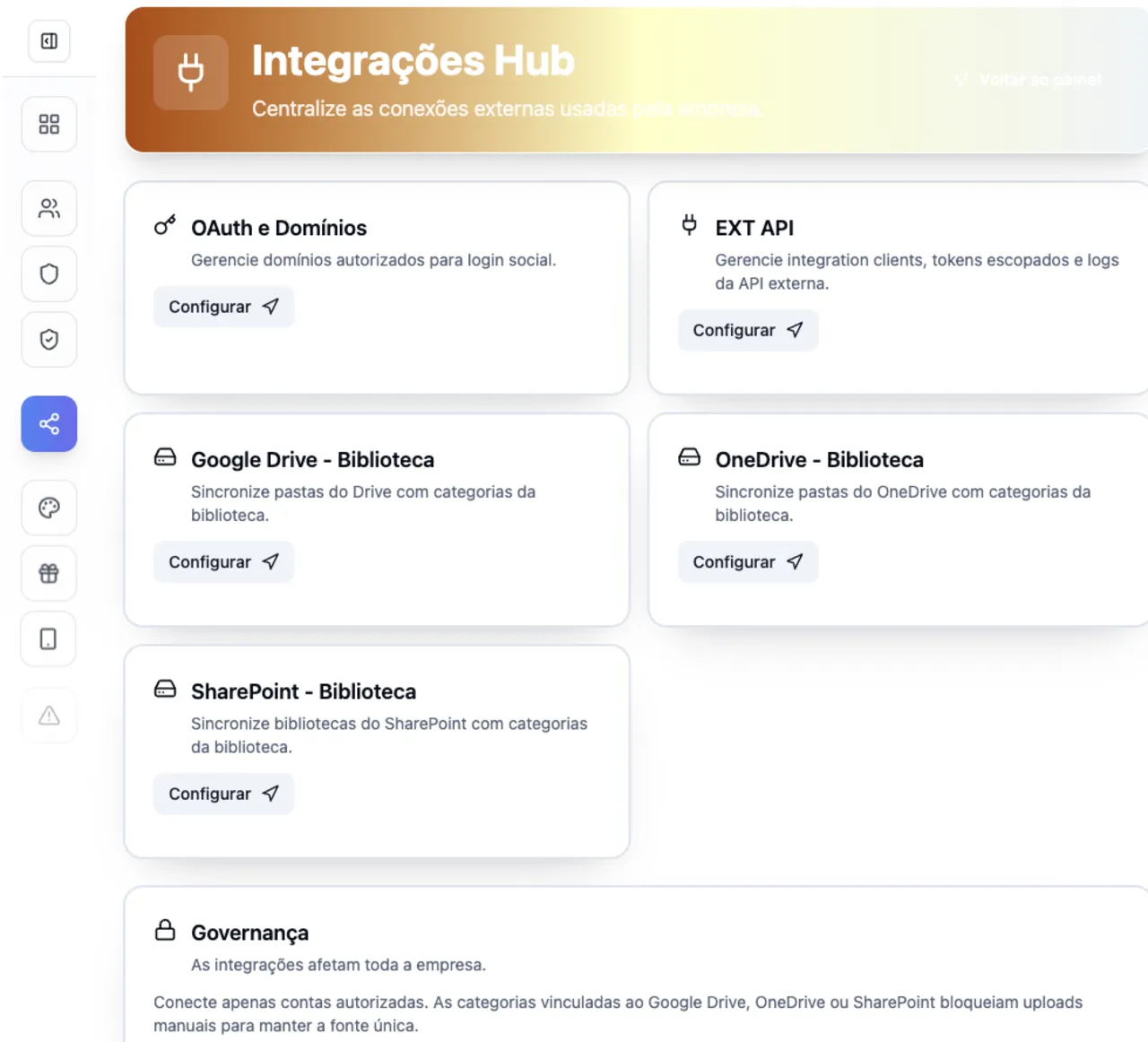
Vindula integrations hub screen with Google Drive, OneDrive, SharePoint, and external API

The hub centralizes authorized providers and helps keep documents, data, and automations governed.

Integration in detail

What your company can organize

Understand what can be connected, who controls operations, and how governance appears in daily use.

OneDrive and SharePoint

Bring Microsoft libraries and folders into Vindula document governance.

  • Source selection

    Configuration can choose drive, site, library, and root folder according to scope.

  • Linked categories

    Microsoft folders can be linked to library categories to preserve context.

  • Link or import

    The company defines whether to consult by governed link or import supported documents.

  • Sync health

    Failures and recoveries can notify the owners responsible for operations.

Teams and Outlook by scope

Use Microsoft routines to support notifications, email, or calendar when that makes sense for the project.

  • Channel notifications

    Teams can support operational notices connected to relevant Vindula events.

  • Email when needed

    Outlook can support routines that need to reach people outside the intranet flow.

  • Contextual calendar

    Calendars can support events and schedules when implementation scope calls for it.

  • Validated scope

    Each routine is confirmed in the demo to avoid promising a connection the company does not need.

Power BI and Microsoft governance

Reports and Microsoft authorization enter with access control and operational context.

  • Workspaces and reports

    Power BI reports can be listed from the authorized Microsoft account.

  • Report in content

    Indicators can accompany internal updates or pages in the right context.

  • Microsoft authorization

    The connection uses Microsoft authorization and permissions compatible with the approved scope.

  • Centralized administration

    IT and owners can understand readiness, scopes, and integrations from one control point.

Operational control

What becomes clear for the company

The integration needs to reduce dispersion and clarify source, authorization, ownership, and day-to-day use.

Use Microsoft 365 as a connected ecosystem without turning each tool into a separate communication channel.

Centralize authorization, scopes, and owners for OneDrive, SharePoint, Teams, Outlook, and Power BI.

Keep documents, notices, and indicators close to the context where employees need to act.

Separate document integration, operational communication, calendar, and BI before implementation.

Connected to the platform

The integration gains value when it appears in the flow of work

Documents, reports, and connected routines need to support communication, document management, knowledge, and HR with the same official reference.

Best fit

When it makes sense to prioritize this integration

The decision should start from where information lives today and how it needs to reach employees with context.

01

Companies standardized on Microsoft 365

When Microsoft is already the base for documents, communication, calendar, or BI.

02

SharePoint and OneDrive in use

When the company wants to keep Microsoft libraries and add context in Vindula.

03

Indicators need to become action

When Power BI needs to arrive alongside guidance, an update, or an execution plan.

FAQ

Common questions before the demo

Objective answers to align expectations about scope, authorization, and governance.

Which Microsoft accounts are recommended?

Corporate projects usually use company-managed Microsoft 365 work or school accounts. Scope is validated in the demo.

Does Vindula replace SharePoint or Teams?

It does not need to replace them. Vindula can act as the official context, communication, and governance environment while Microsoft 365 remains a source or supporting channel.

Is Power BI part of the Microsoft 365 integration?

Yes, when the approved scope includes Power BI reports. The connection uses Microsoft authorization to list and embed permitted reports.

Want to validate this integration in your company scenario?

The guided demo shows what makes sense to connect first, which permissions enter scope, and how the integration supports operations.